Releases & Delivery
Know whether each release will land on its date.
Delivery checks every Jira release twice: against the chart, once dependencies are respected, and against the pace your team actually finishes work. It names the issues behind the answer, and moves the date in Jira only when you decide to.
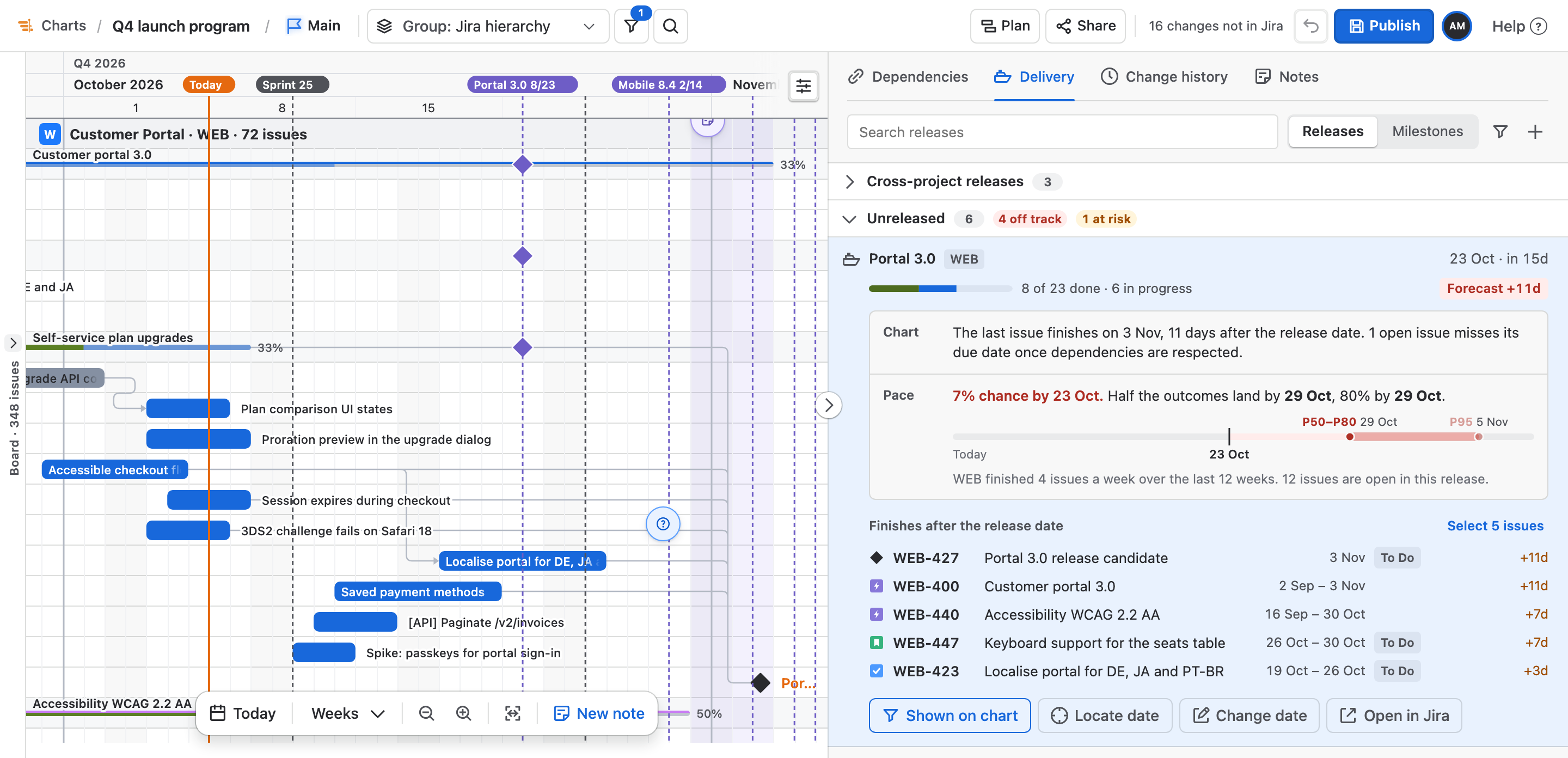
- Chart and pace verdicts
- P50, P80 and P95 dates
- Release dates changed with Undo
- Cross-project releases
What you get
Releases & Delivery, part by part.
01
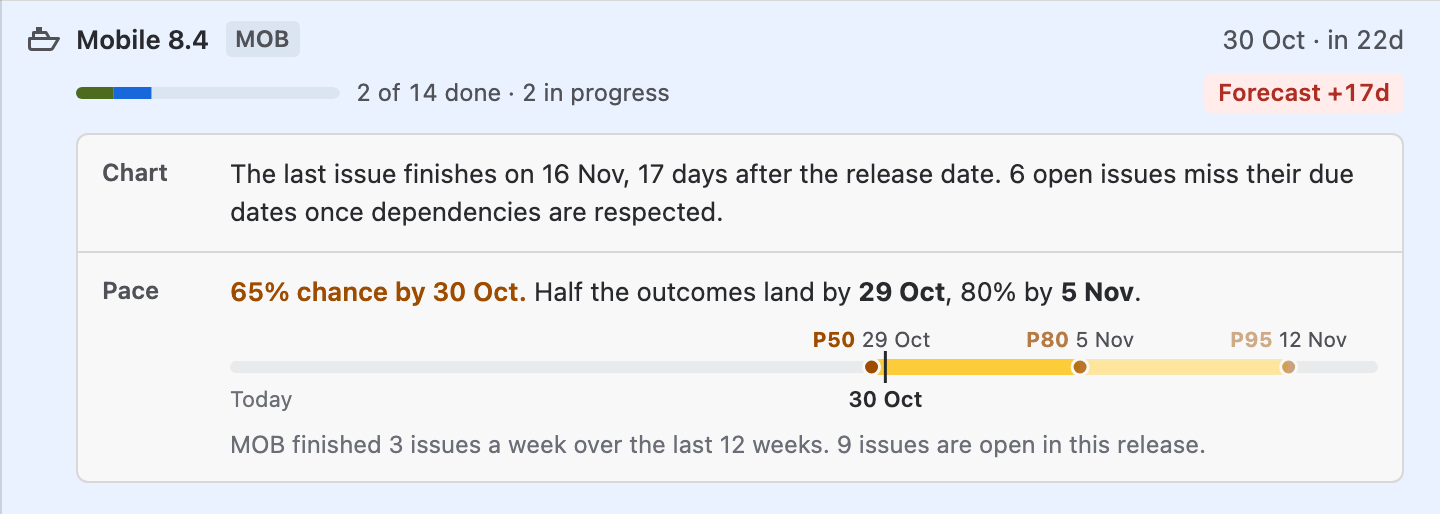
Two answers for every release
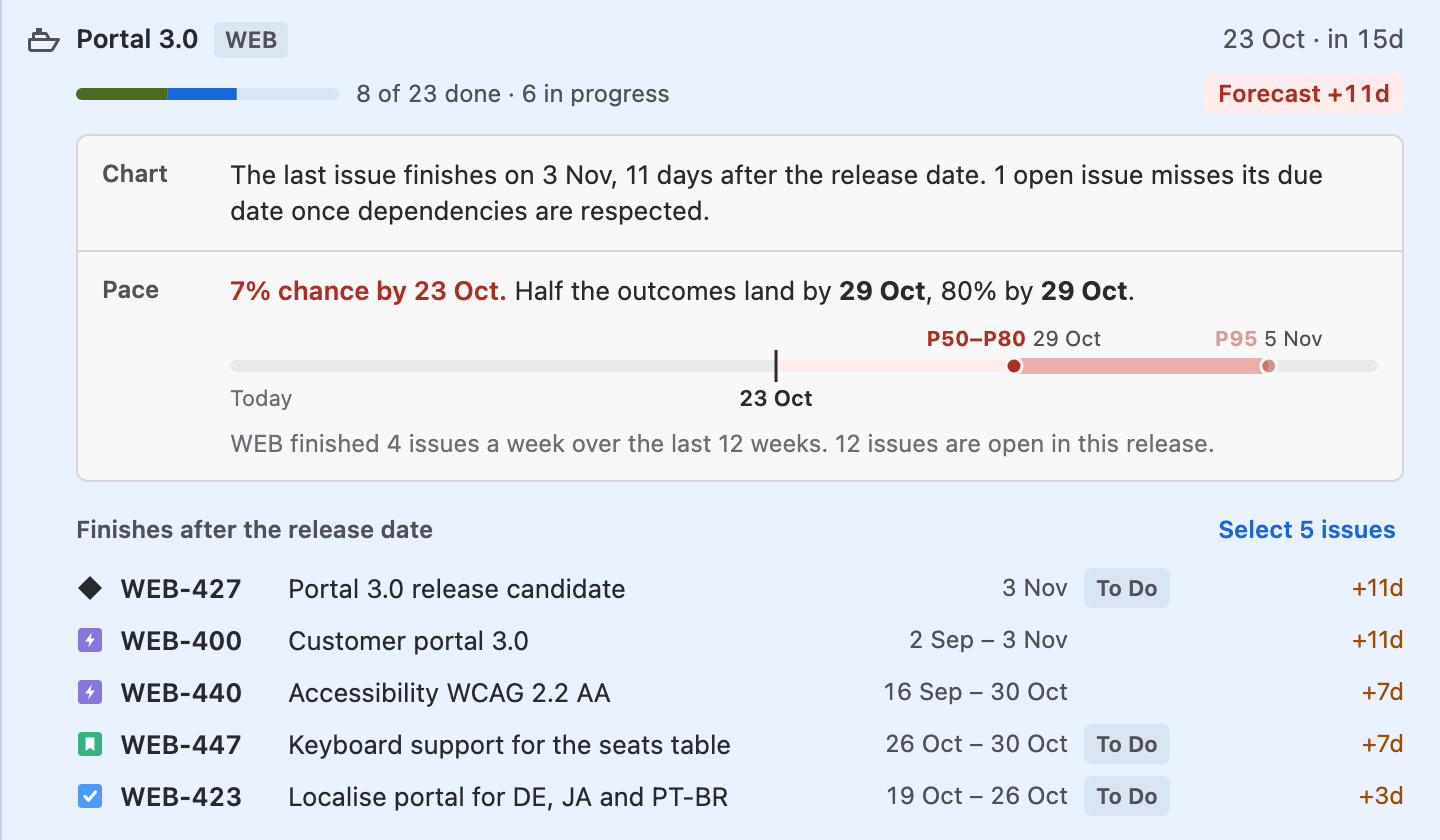
Chart says when the release's last issue finishes once dependencies are respected. Pace runs a Monte Carlo of the project's weekly throughput over the last 12 weeks and gives the chance of landing by the date. When they disagree, the tag shows the worse answer.
02
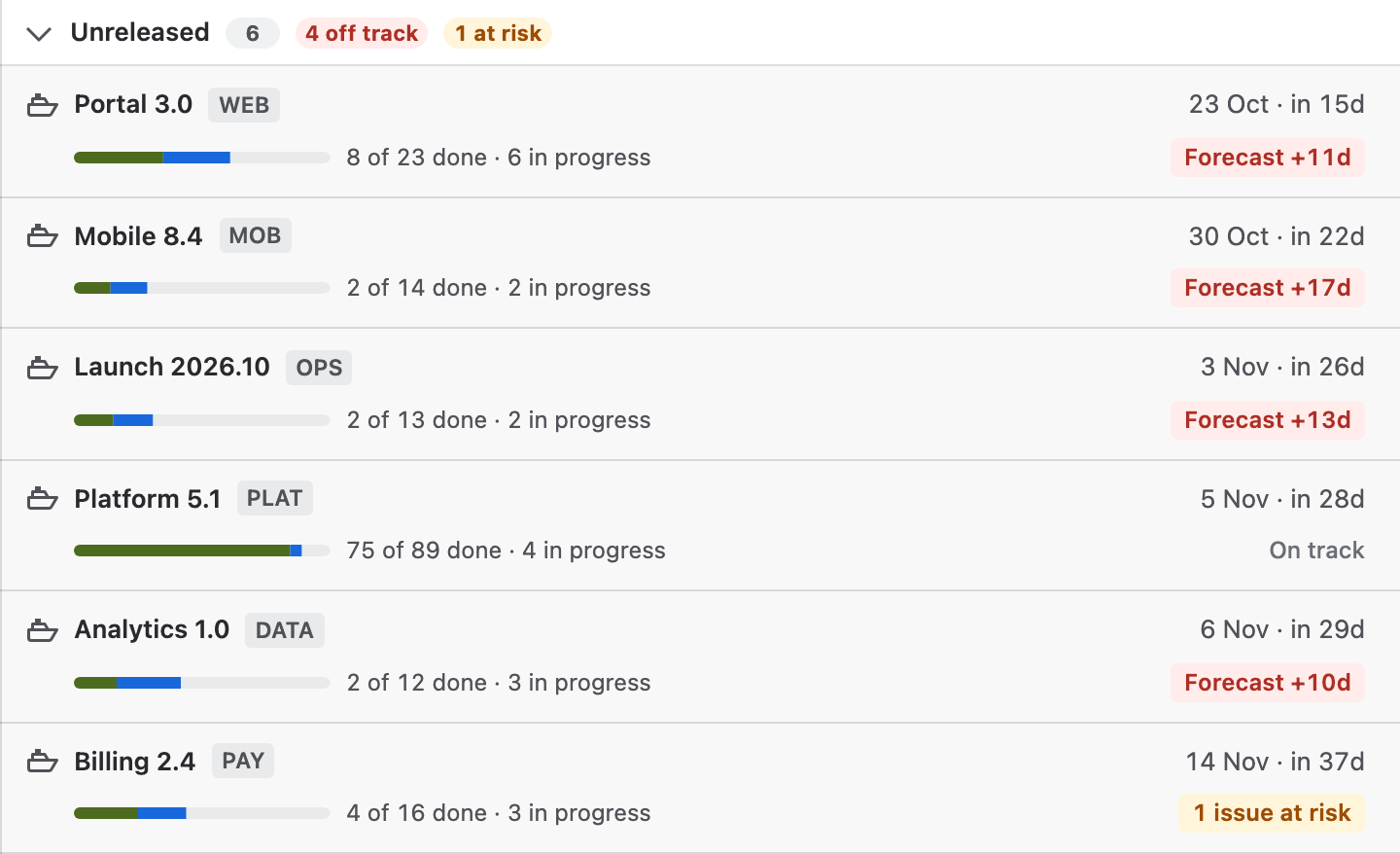
A tag that says what is wrong
Each release carries the worse of its two answers: days late on the chart, days late at the team's pace, a low chance of landing on time, issues at risk, Past due, Ready to release, or work still open after release.
03
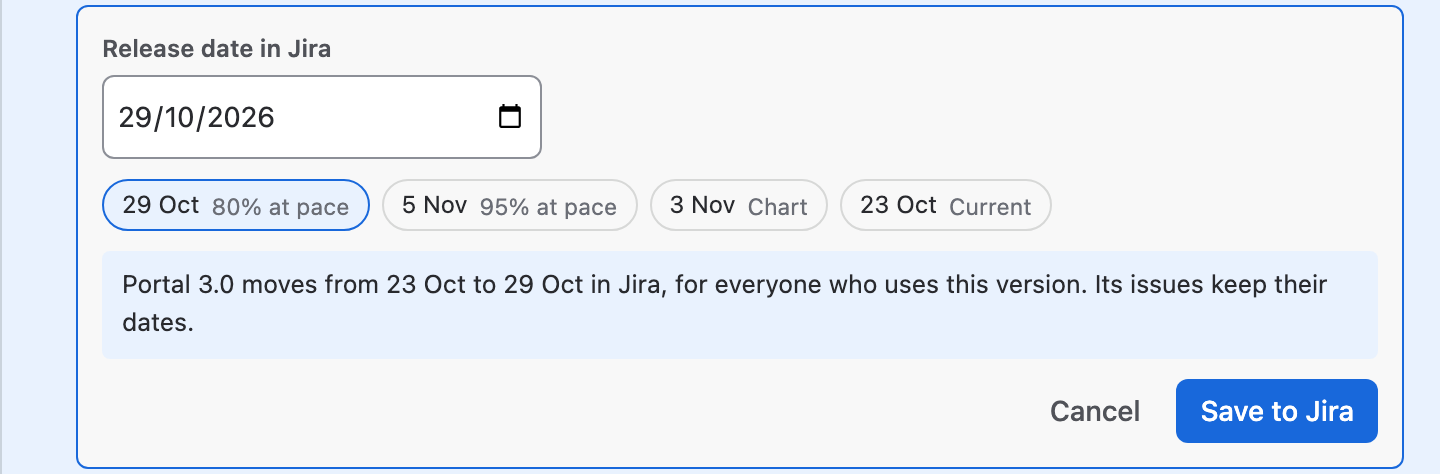
Move the date to a forecast
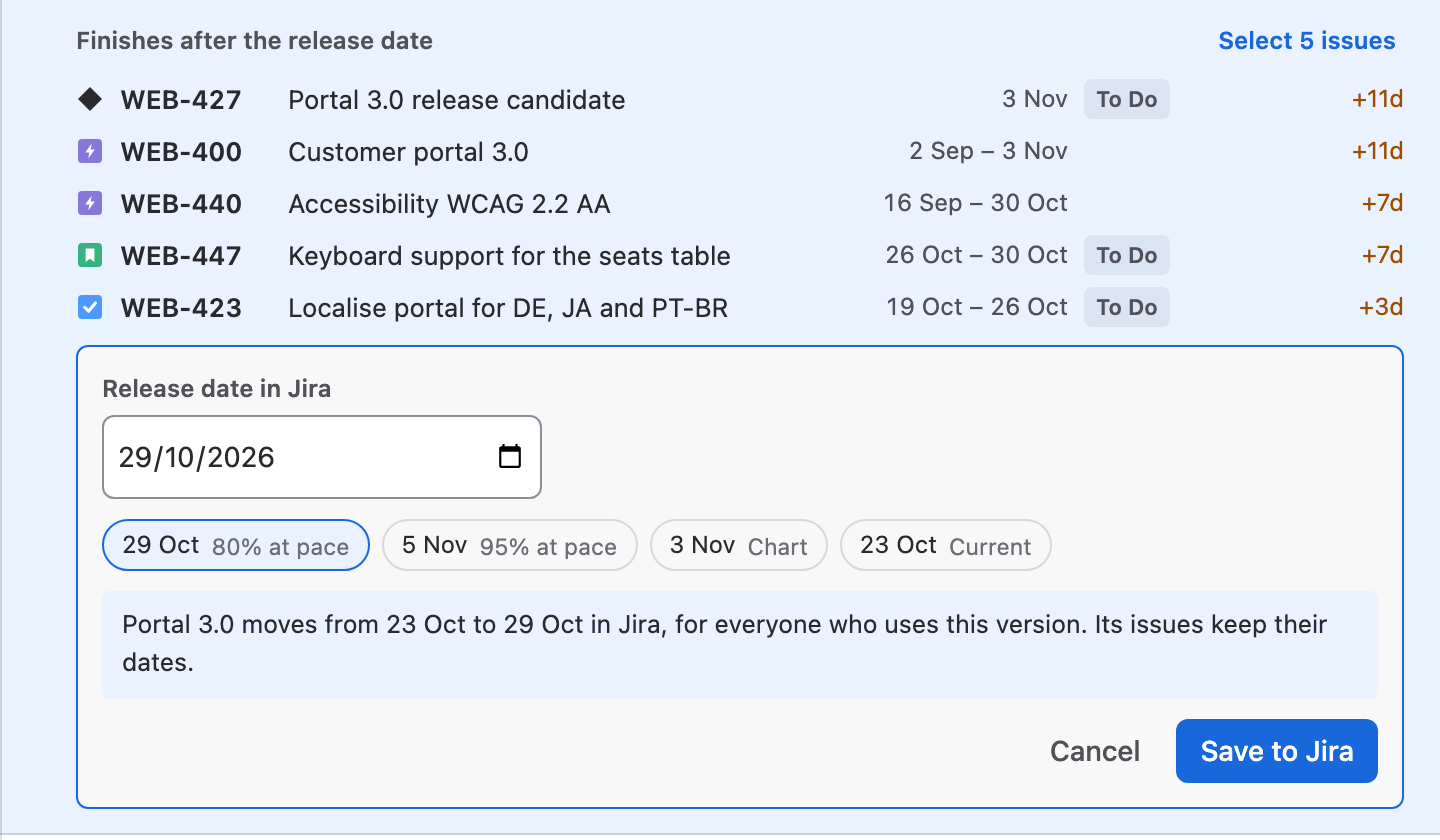
Change date offers the 80%, 95% and 50% pace dates and the chart's finish, says what Jira will change, and writes the new date only when you choose Save to Jira.
04
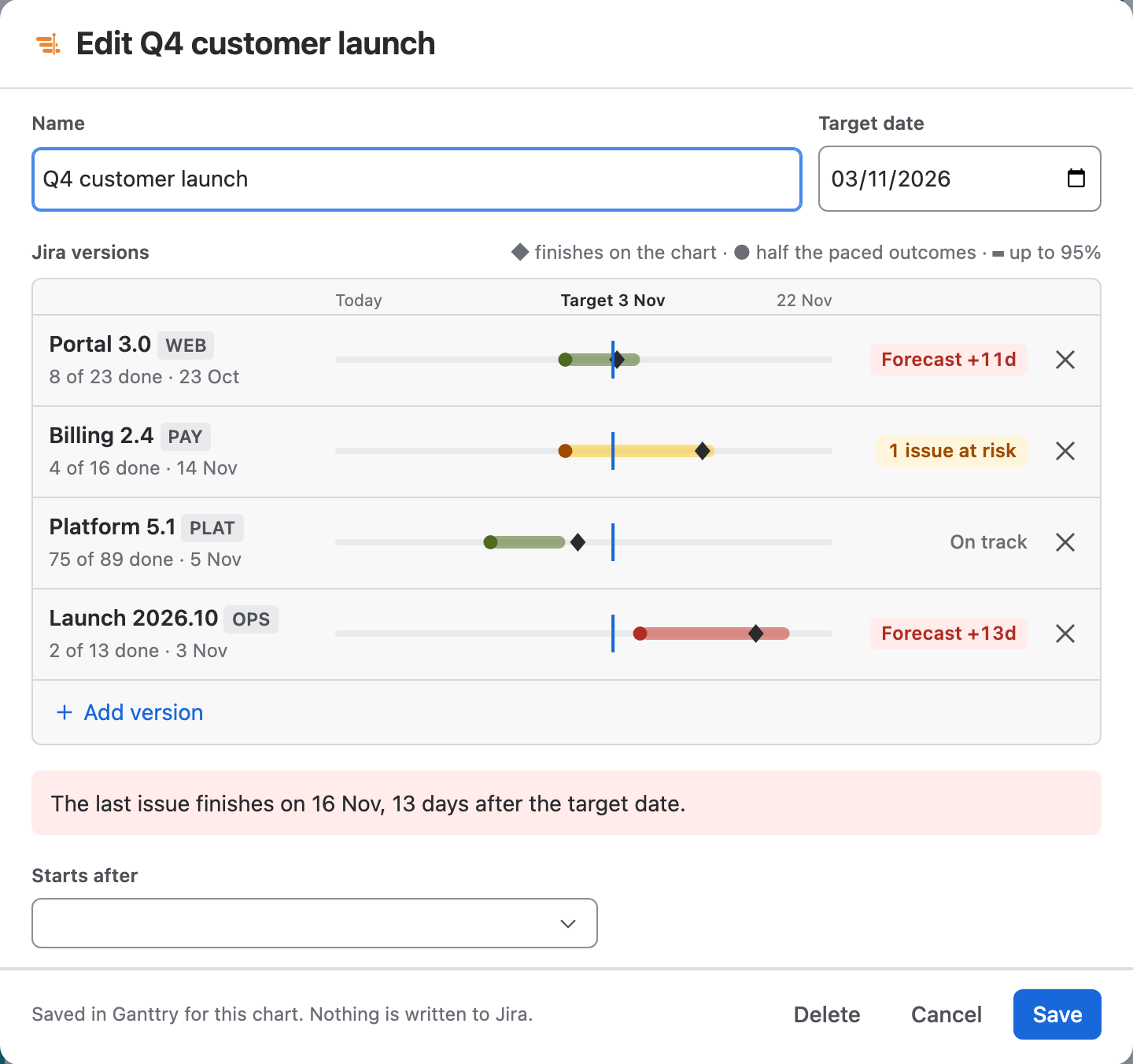
One release across several projects
Track Jira versions of several projects as one cross-project release. Each version is a track against the target, and a sentence under them says what holds the release.
How to use it
From the release list to a decision.
Step 1
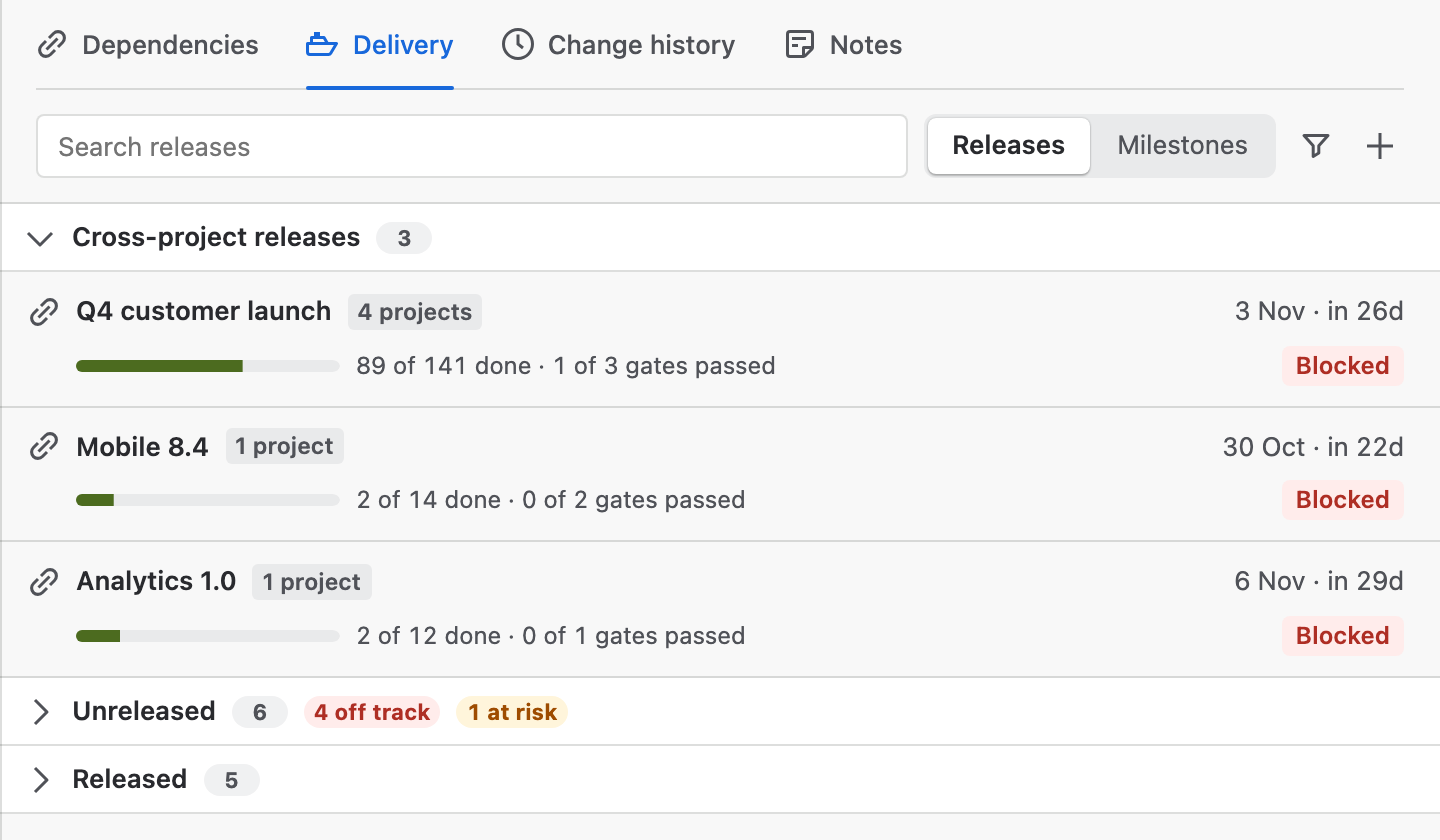
Open Delivery
Open Plan insights and choose Delivery. Cross-project releases come first, then Jira releases: Unreleased with the number off track or at risk, then Released.
Step 2
Read both answers
Select a release. The chart scrolls to its date, and the release opens with the chart's answer, the pace answer with its P50, P80 and P95 dates, and the issues behind it.
Step 3
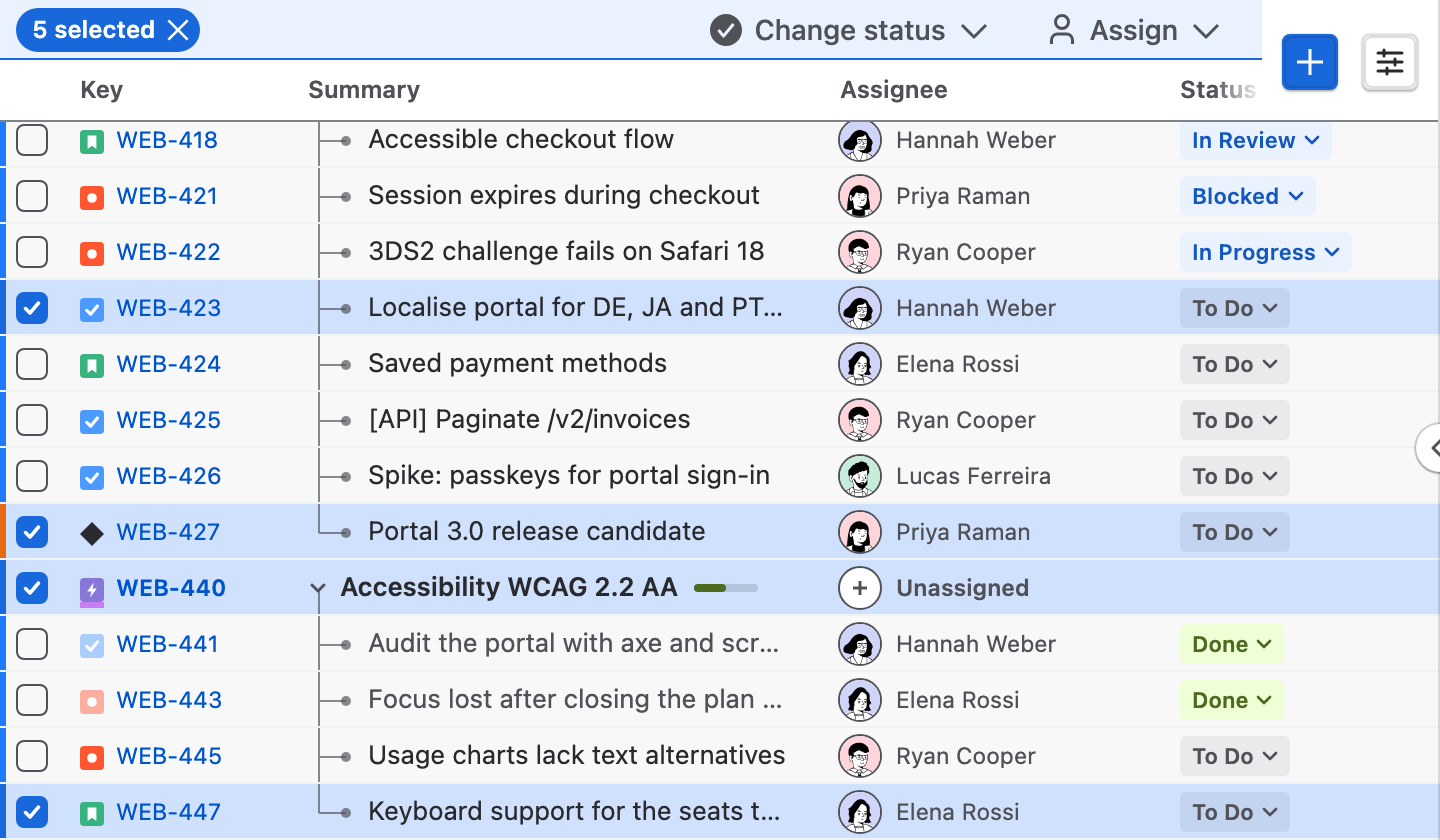
Select the issues behind it
Select … issues marks them on the chart, so the selection bar can act on them. Show on chart narrows the chart to the release's issues.
Step 4
Change the date in Jira
Choose Change date, pick a suggested date or type one, read what Jira will change, then Save to Jira. The confirmation offers Undo.
Step 5
Create a release
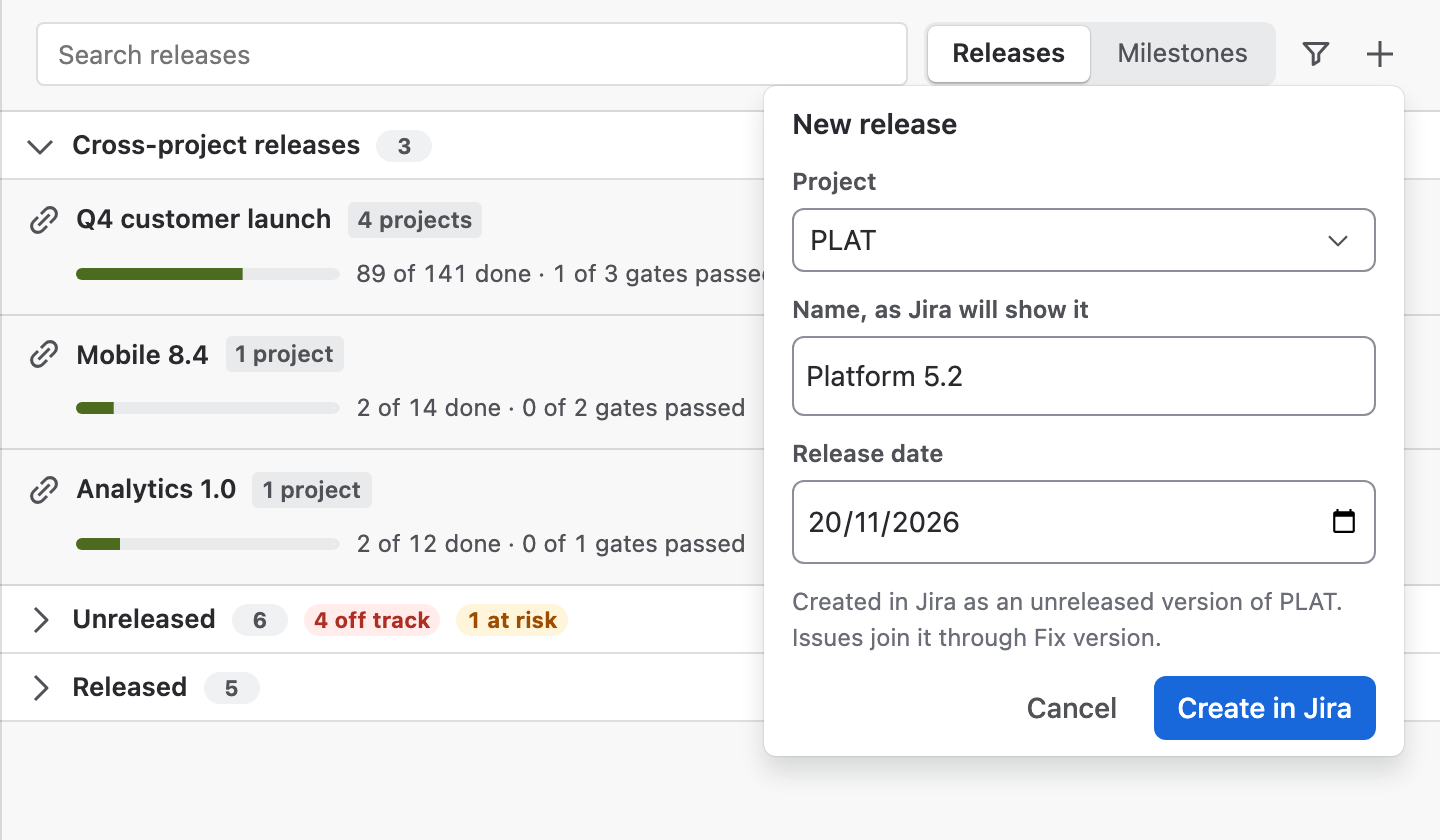
New release in the toolbar creates one unreleased Jira version: choose the project, enter the name and an optional date, then Create in Jira.
Step 6
Track a cross-project release
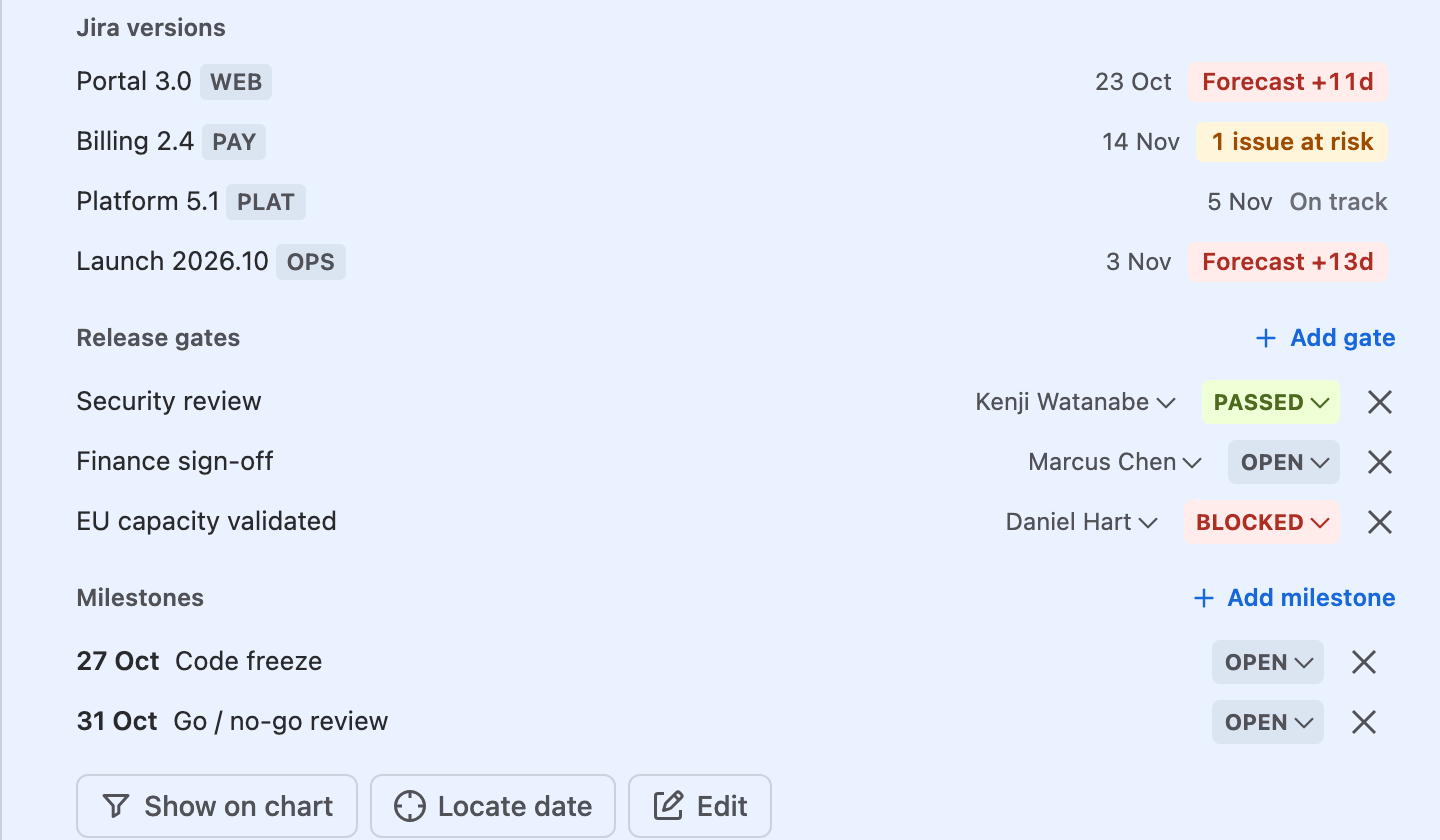
Open a cross-project release to see its Jira versions, Release gates with owners and status, and Milestones. Change them in place; Edit changes the versions and the target.
Good to know
- Jira changes only when you say so
- Save to Jira, Undo and Create in Jira are the only Jira writes, made as you and with your permissions. A new release date leaves the issues' own dates as they are.
- Cross-project releases stay in Ganttry
- Their name, target, versions, gates and milestones are saved in Ganttry for the chart. Nothing about them is written to Jira.
- Pace needs history and a date
- Without finished work in the project over the last 12 weeks, or without a release date, Delivery says so and shows the chart's answer.
- Milestones in one list
- Milestones lists the chart's milestone issues by date, with their release and lateness, and the milestones of cross-project releases.
Read more in the docs
Ganttry for Jira Cloud