Plug that App!

Everything in the plan

A real plan, not a prettier list of dates.

Build the schedule, test alternatives, find the risk, plan the capacity and choose exactly what reaches Jira.

5

Forge surfaces

project, portfolio, dashboard, issue and Confluence

8

Languages

with locale-aware dates and terminology

10k

Task benchmark

for dependency scheduling

0

Vendor servers

the app runs on Atlassian Forge

Shape the plan

Bring the Jira work. Ganttry builds the planning surface around it.

Start with projects, boards, filters or JQL. Keep the Jira hierarchy, add the columns you need and save the view for next time.

01.1

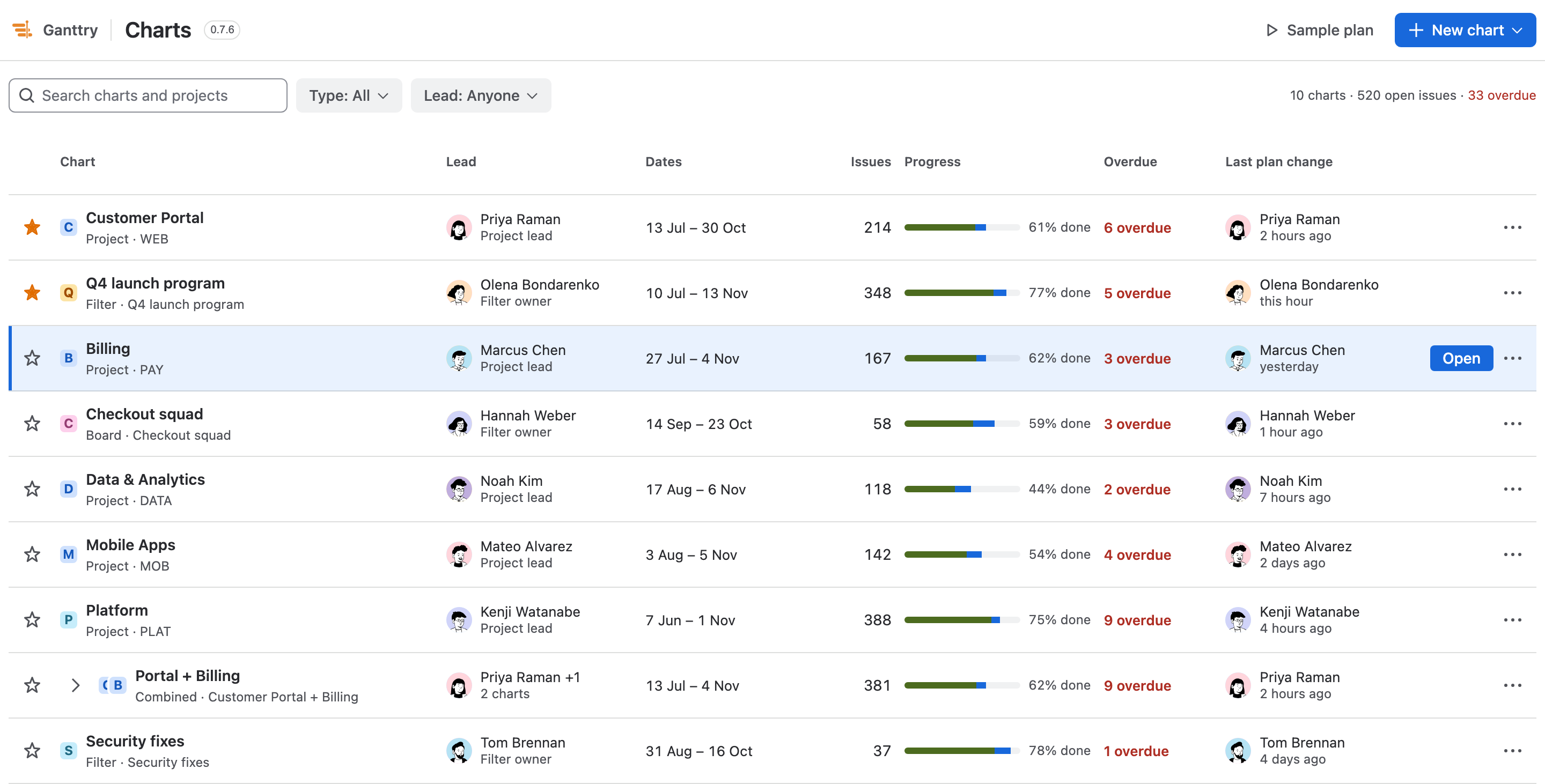
Project and portfolio Gantt

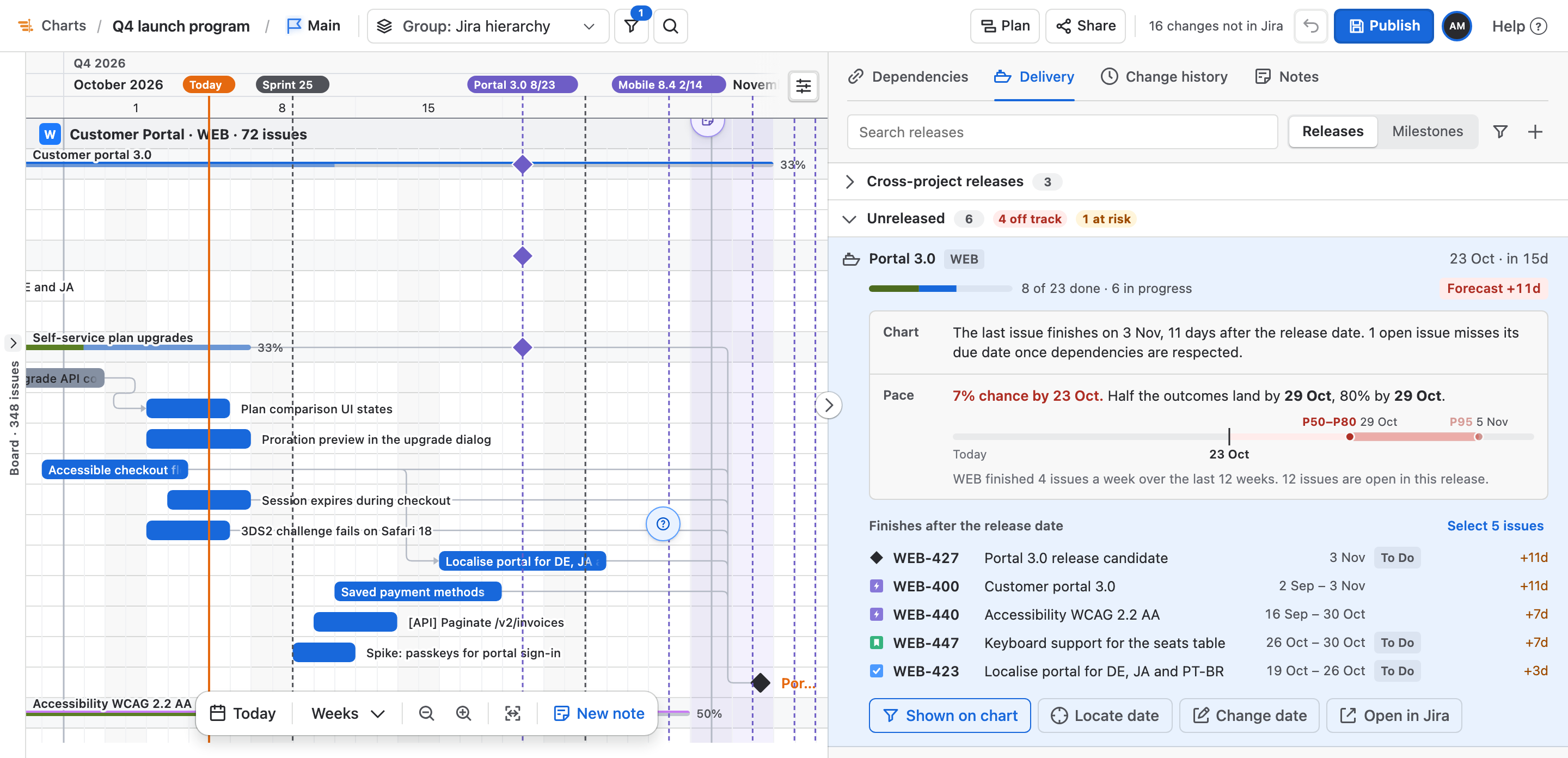
Put up to ten projects on one dependency-aware chart, or keep a separate portfolio plan.

01.2

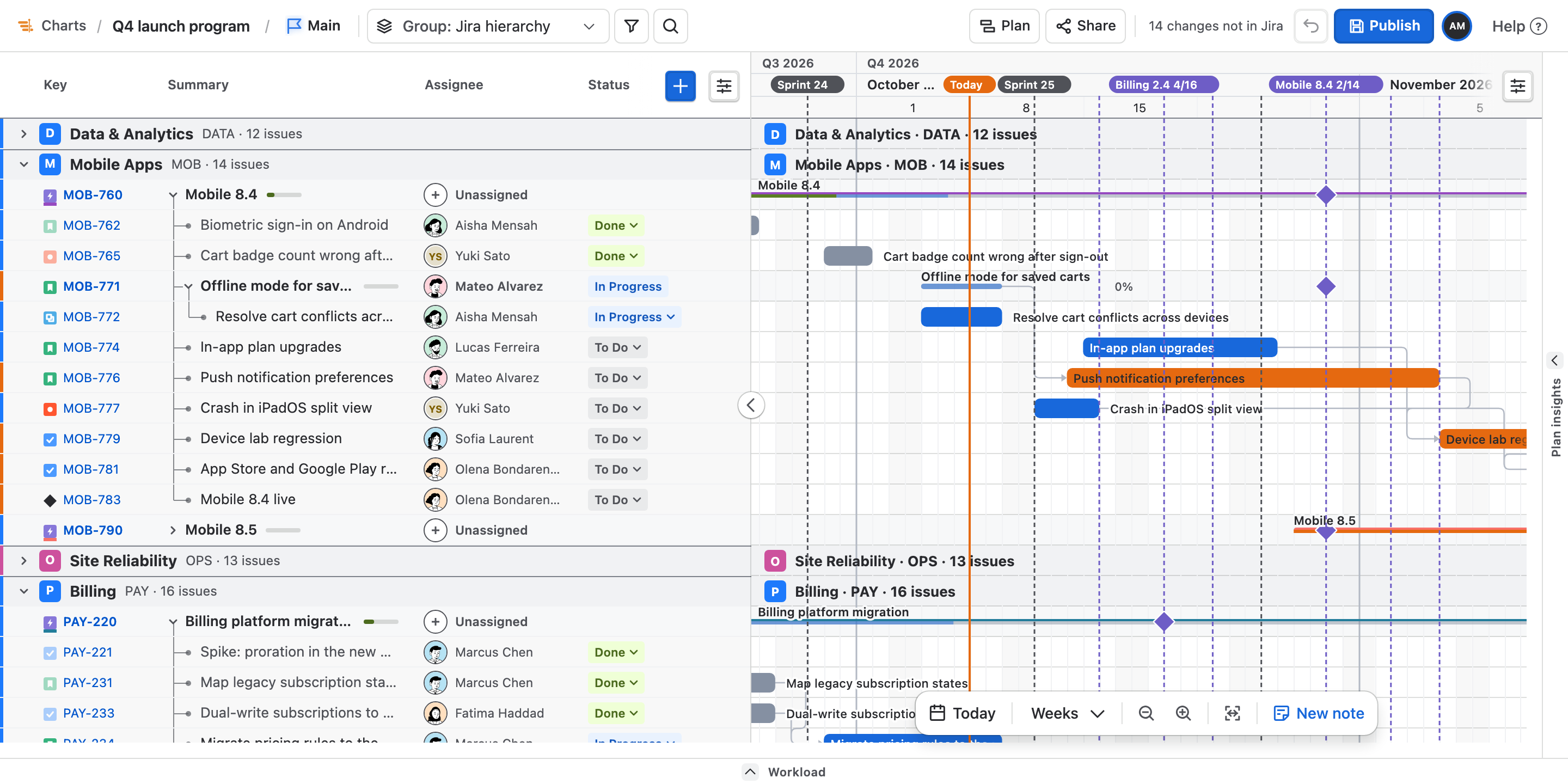
Hierarchy that rolls up

Expand, collapse and group by assignee, project, release, status, sprint or issue type.

01.3

Views worth sharing

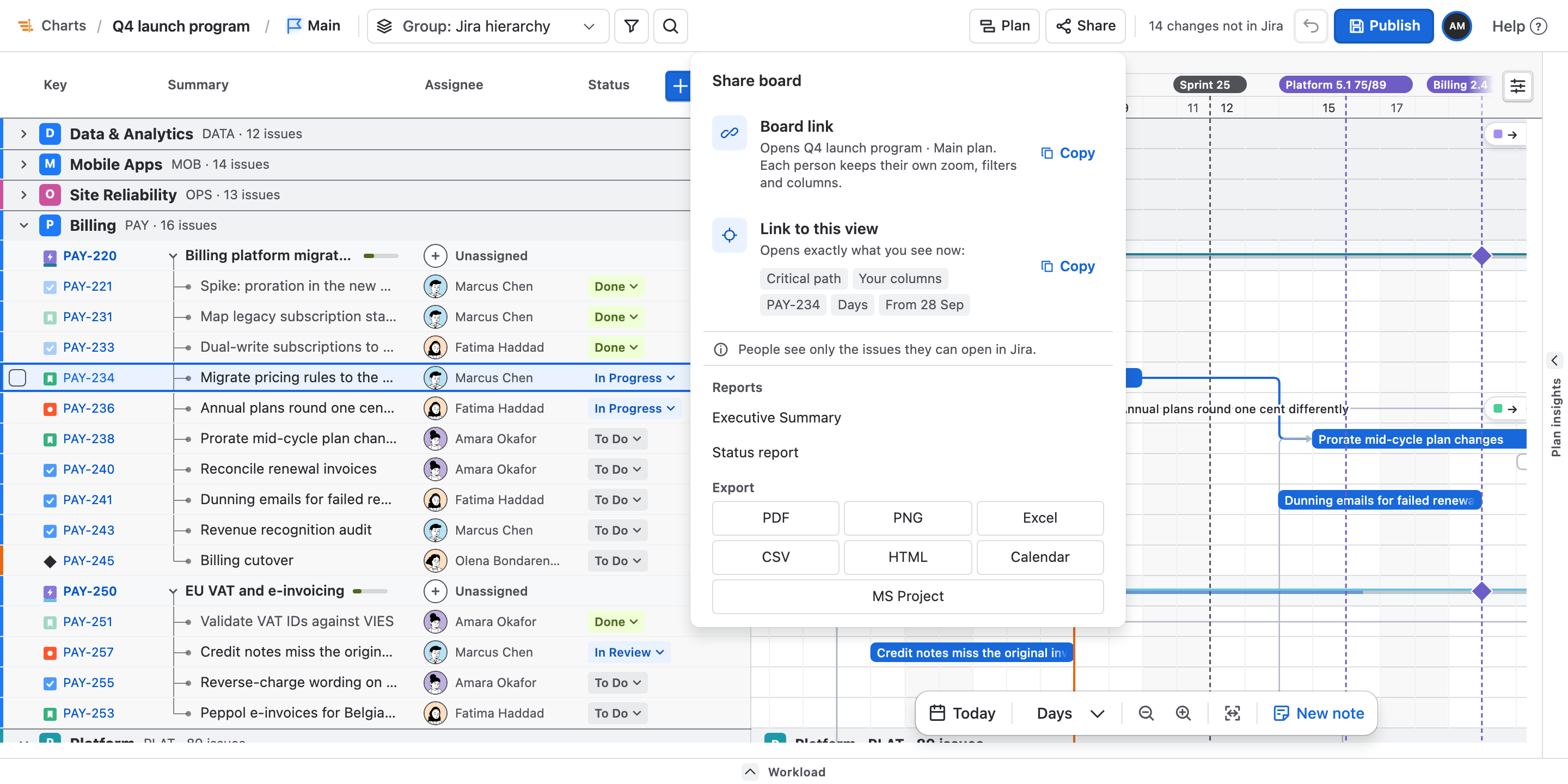
Save filters, sorting, columns and layout. Share the view in a URL without copying planning data.

01.4

Built for big plans

Large Jira plans load in bounded batches and render on canvas instead of thousands of page elements.

Schedule honestly

Dependencies decide the dates. Broken plans stay visibly broken.

The scheduler respects working time and declared constraints. When the math no longer fits, it reports the conflict instead of compressing the bar.

02.1

Four dependency types

Finish-to-start, start-to-start, finish-to-finish and start-to-finish, with positive or negative lag.

02.2

Critical path and slack

See which work controls the finish date and open the explanation for any scheduled row.

02.3

Calendars and constraints

Working days, holidays, personal availability, ASAP/ALAP placement, milestones and manual dates.

02.4

Scenarios and baselines

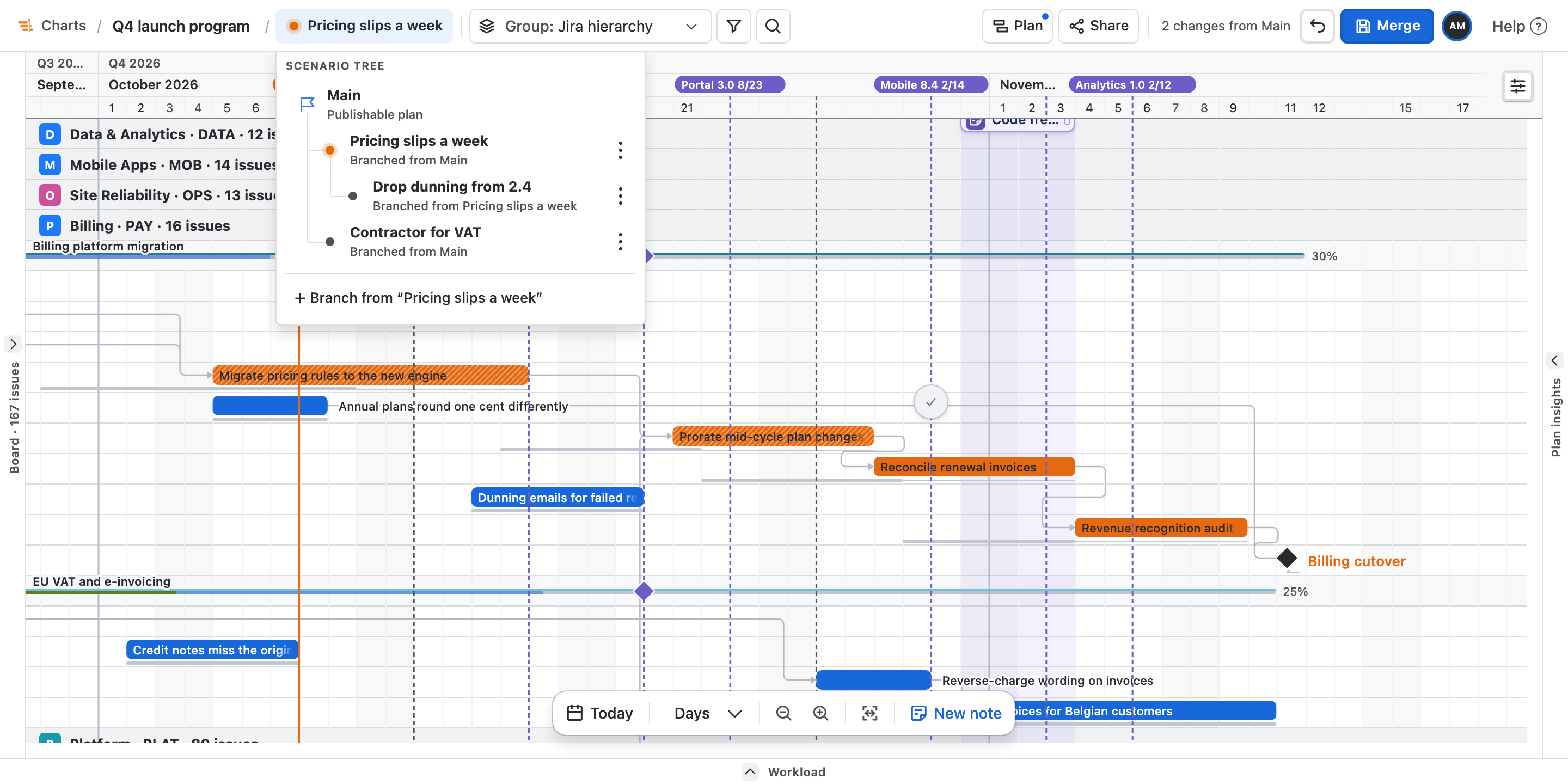
Try alternate plans, compare risk and finish dates, then measure the current plan against up to eight snapshots.

Plan the capacity

See overload before it becomes somebody’s weekend.

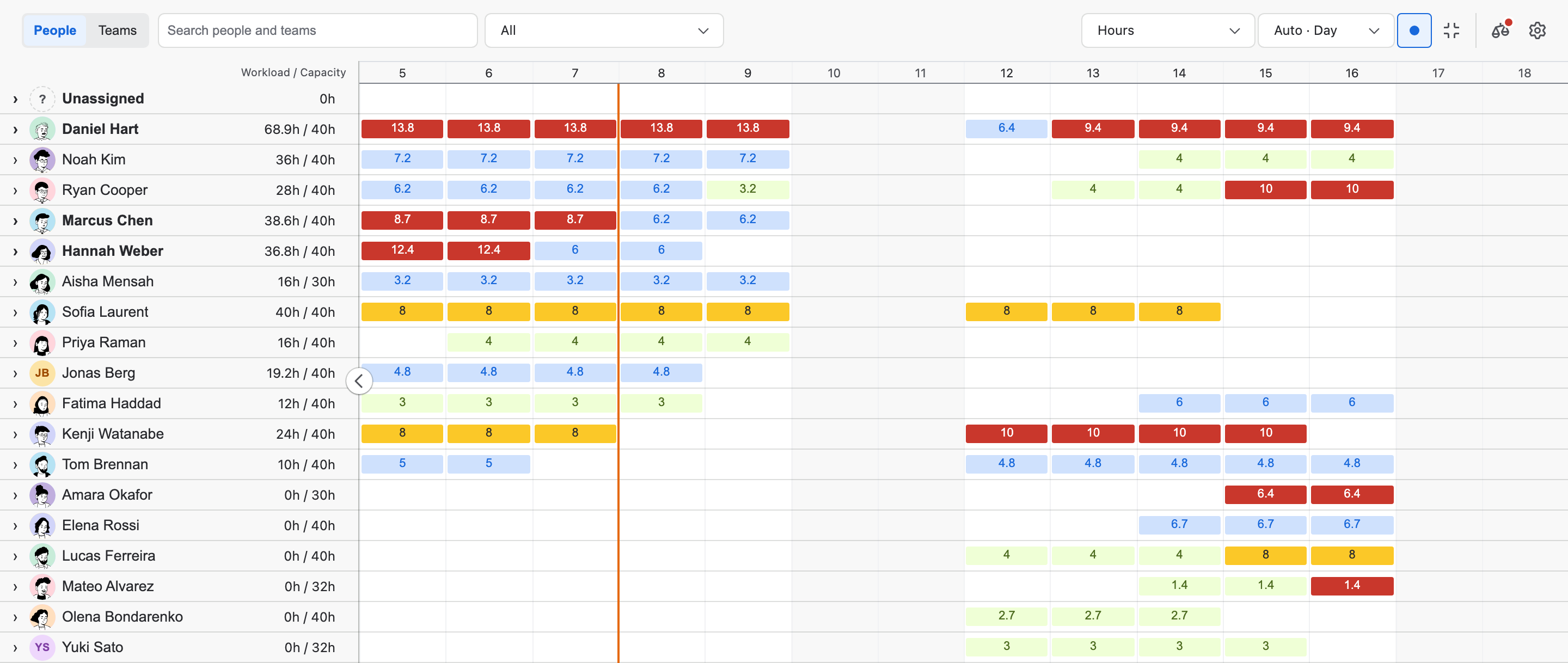
Capacity uses the hours and days people actually have. Ganttry can propose a leveled plan, but the proposal stays reversible and visible.

Team capacity6 weeks
AvailableFullOver
03.1

Availability and allocation

Days off, working weekdays, daily hours and the share of a plan each person can take.

03.2

Workload heatmap

Daily, weekly or monthly capacity with underloaded, full and overloaded periods.

03.3

Resource leveling

Preview minimum-movement, critical-first or shortest-first changes without touching protected work.

03.4

Forecasting

Velocity history plus deterministic P50, P80 and P95 completion dates, including three-point estimates.

Find the decision

Turn a crowded chart into the short list that needs attention.

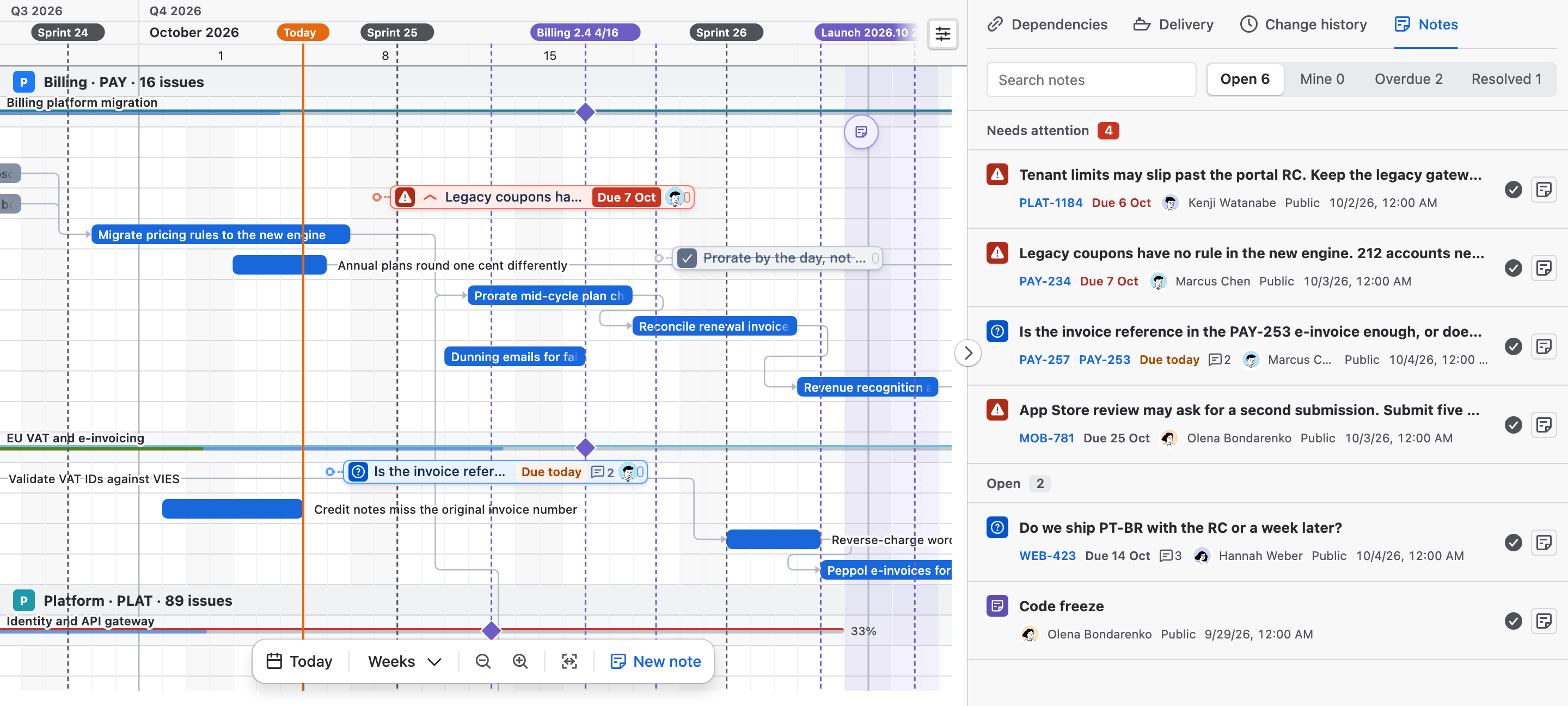
Dependencies, releases, risks and objectives become explicit planning objects instead of annotations spread across unrelated Jira screens.

04.1

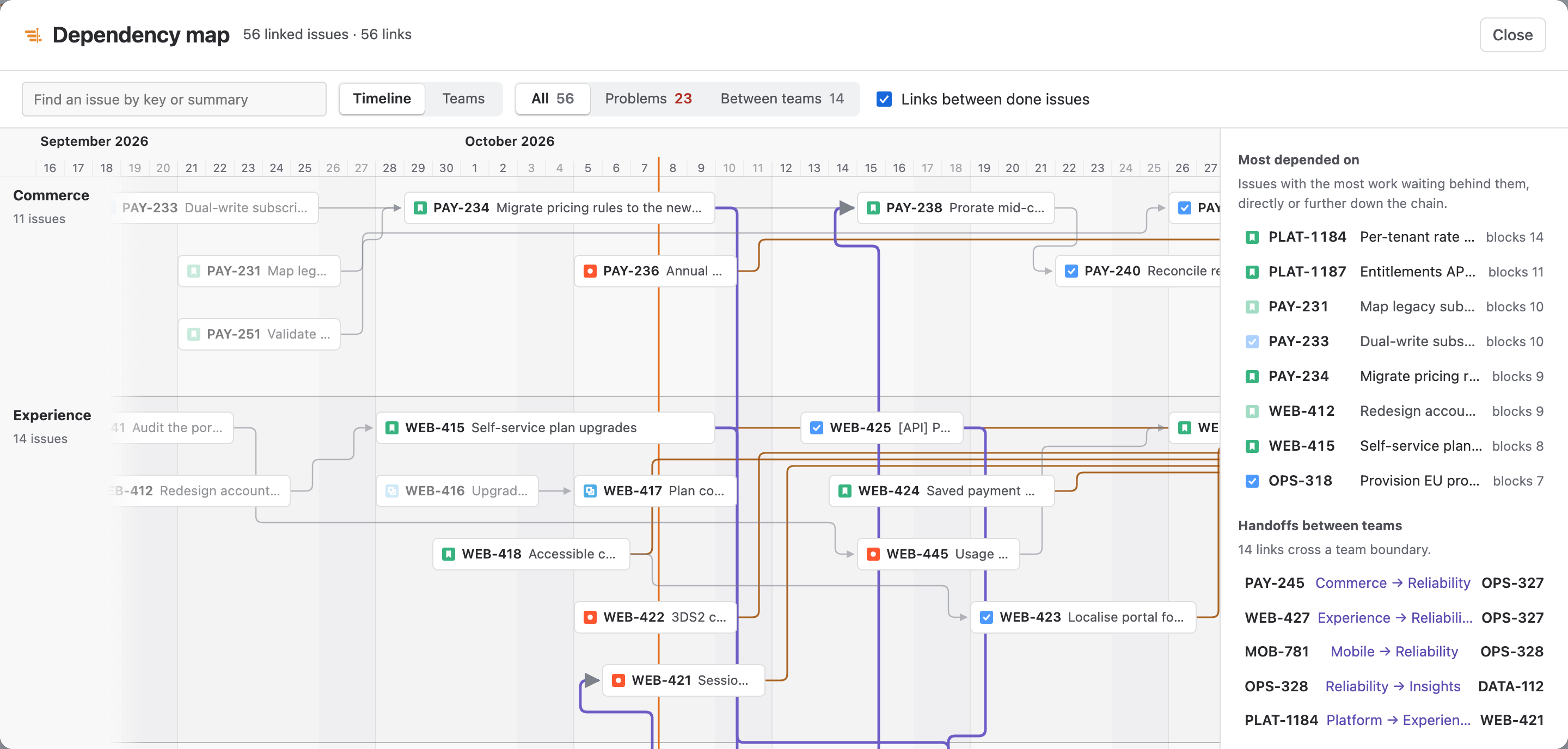
Dependency and risk view

Rank cycles, late links, missing endpoints, bottlenecks and critical-path exposure.

04.2

Releases and program board

Combine cross-project versions, gates and milestones, then see blockers between team and sprint lanes.

04.3

Risk register

Track probability, impact, mitigation, owner and status beside the work that creates the exposure.

04.4

Executive summary

Completion, P80 date, dependency health, baseline drift, capacity, sprint pressure and required decisions.

Publish deliberately

A drag is a planning opinion. Jira changes only after review.

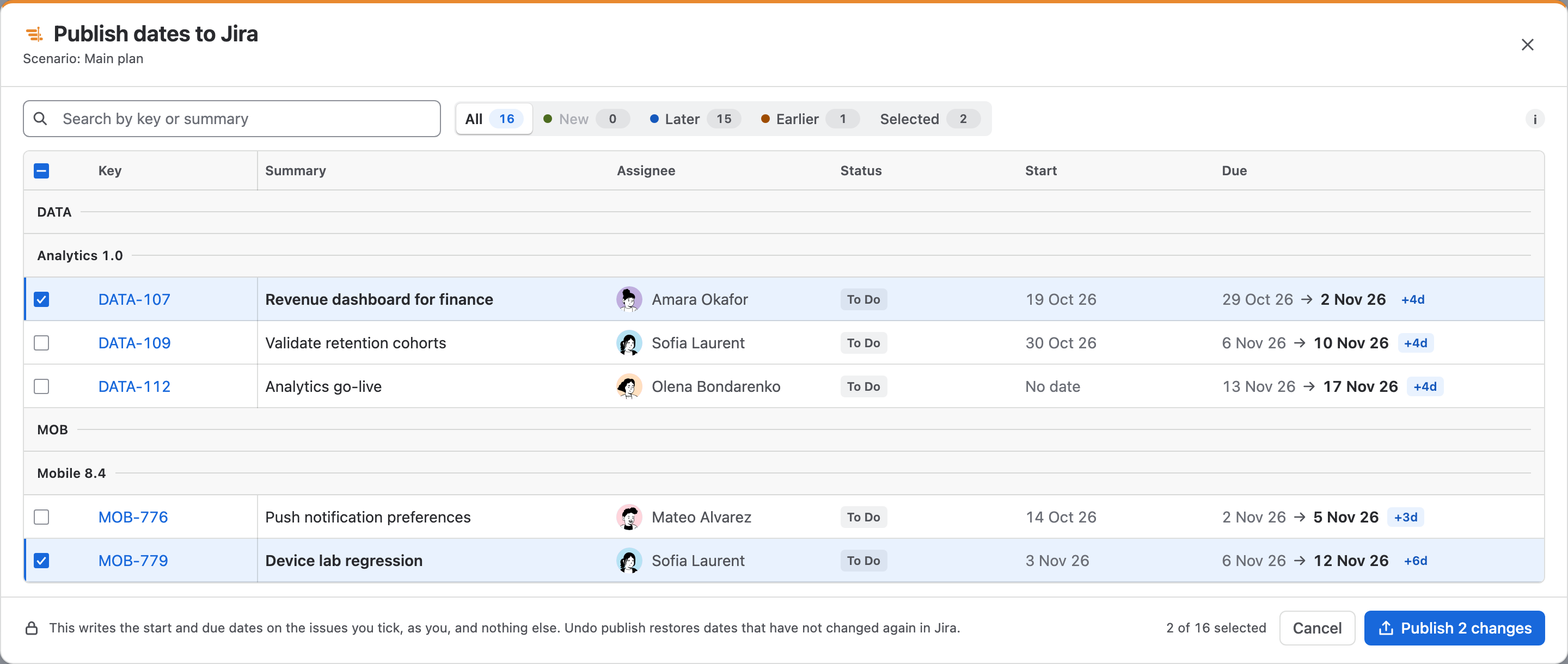
Ganttry stores planning changes in Forge storage. Publishing is a separate, permission-aware step with an exact before-and-after review.

05.1

Controlled date publishing

The review starts with only the bars you moved selected; calculated dates stay clear until you choose them.

05.2

Jira planning actions

Review dates, dependencies, assignees, transitions, versions, sprint or backlog moves, Team and rank.

05.3

Approvals and separation of duties

Optional Planner, Publisher, Approver and Administrator roles with no self-review.

05.4

History, backup and restore

Keep shared revisions, export eligible plan data and restore it without replaying approvals.

Take it elsewhere

The plan can leave the screen without leaving Atlassian behind.

Present the plan where the team already works, or export it for people who do not have Jira open.

06.1

Five native surfaces

Jira project and global pages, a dashboard gadget, issue activity and a Confluence macro.

06.2

Useful exports

CSV, XLSX, PNG, PDF, Microsoft Project and a standalone HTML chart with a text table.

06.3

Rovo planner

Ask read-only questions about saved plans, critical tasks, dependencies, workload and scenario differences.

06.4

Accessible and international

Keyboard operation, semantic task table, responsive dialogs, light/dark themes and eight languages.

Live for Jira Cloud

Drag the plan. Publish when you are ready.