Gantt chart for Jira Cloud · Live on Atlassian Marketplace
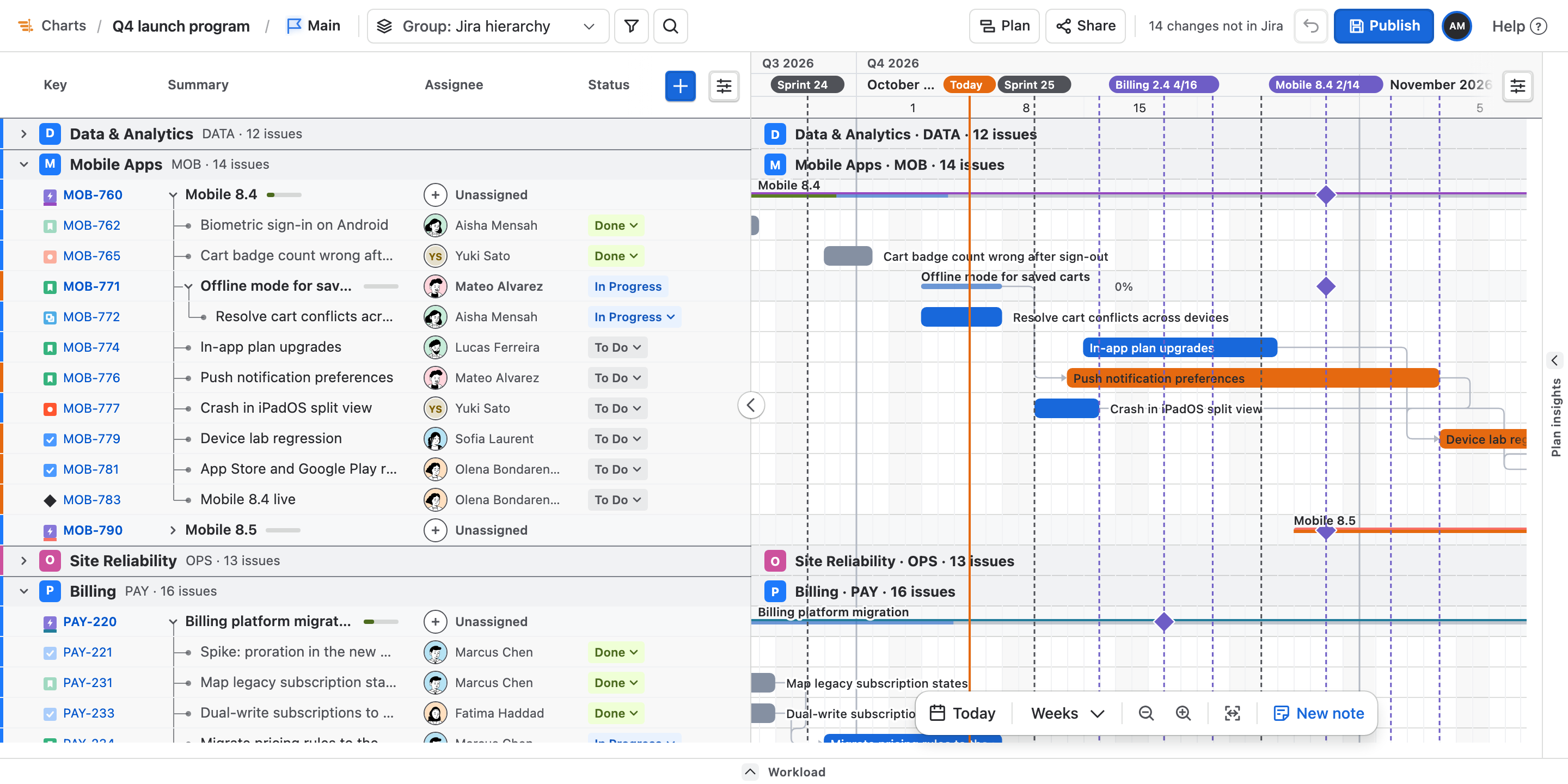
Every start date here was worked backwards from a finish.
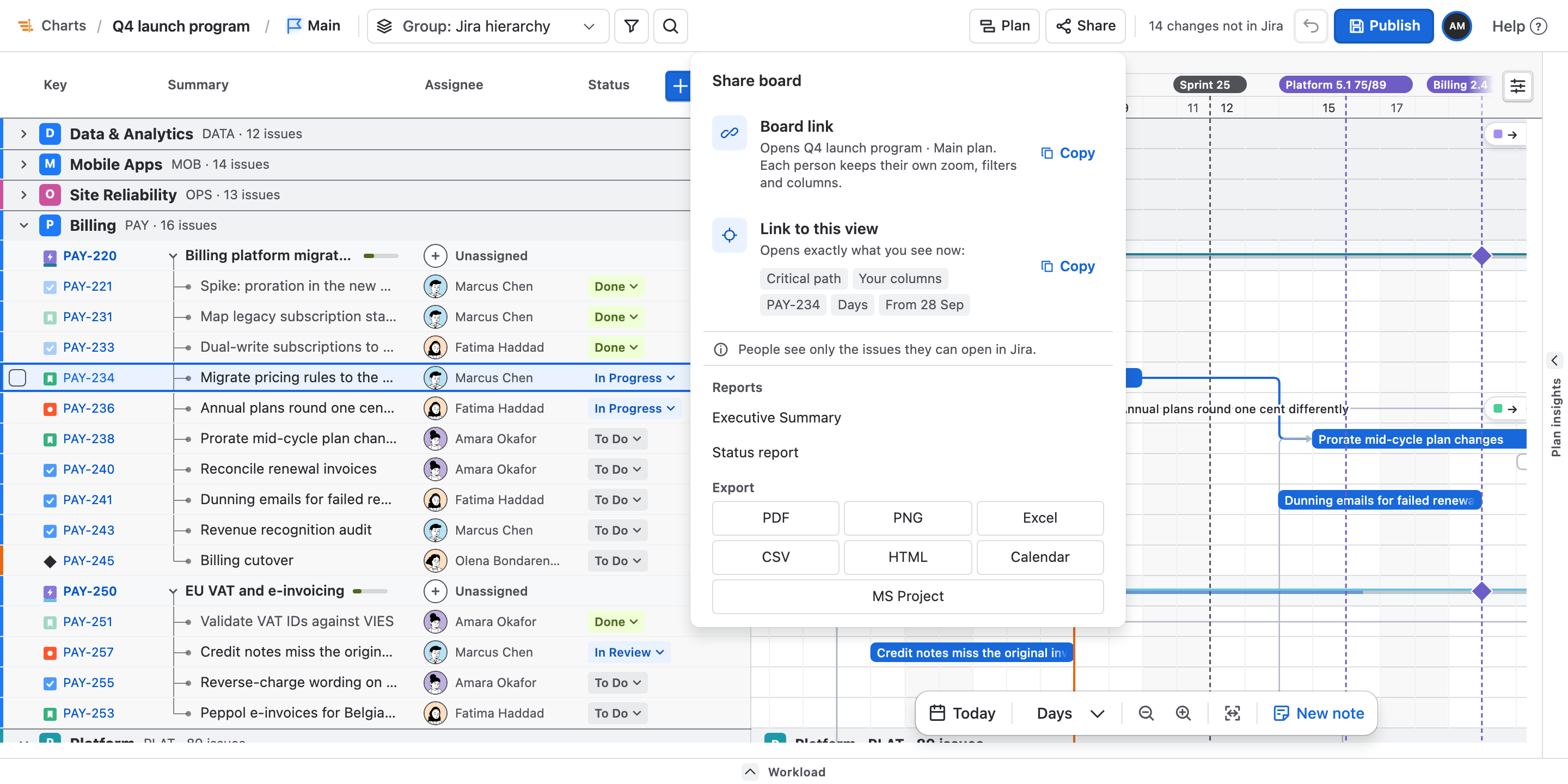
Jira issues have a due date and almost never a start date. So Ganttry draws each bar backwards from the finish, and when a dependency pushes an issue past its own due date, it draws the issue late rather than squeezing the bar to fit.
Free for up to 10 users · $1.29 per user a month for 11–100 users · No Jira Premium needed
Version 2.32.0 · 15 October 2026 · Release notes ↗
Why teams use it
Three things a Jira plan finally gets right.
Dependencies & critical path
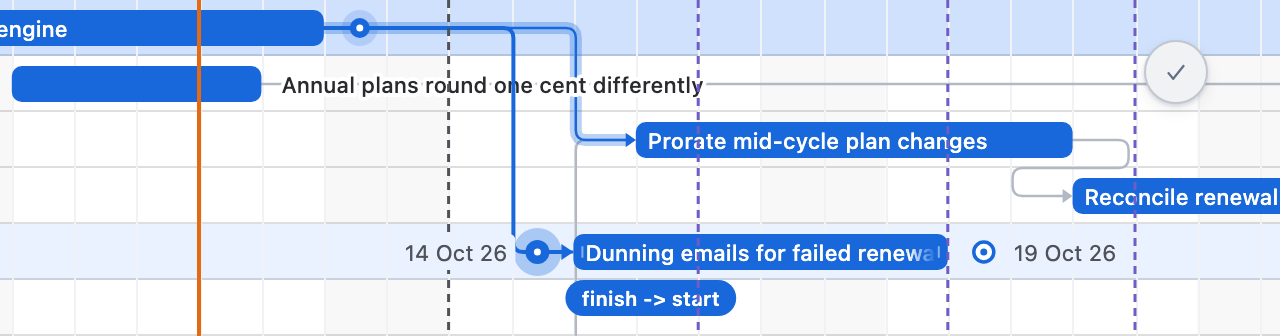
See what waits on what, and what holds the finish date.
Link Jira issues with four dependency types and a wait between them. Ganttry schedules the work from those links and shows which chain sets your plan's finish.
How it works →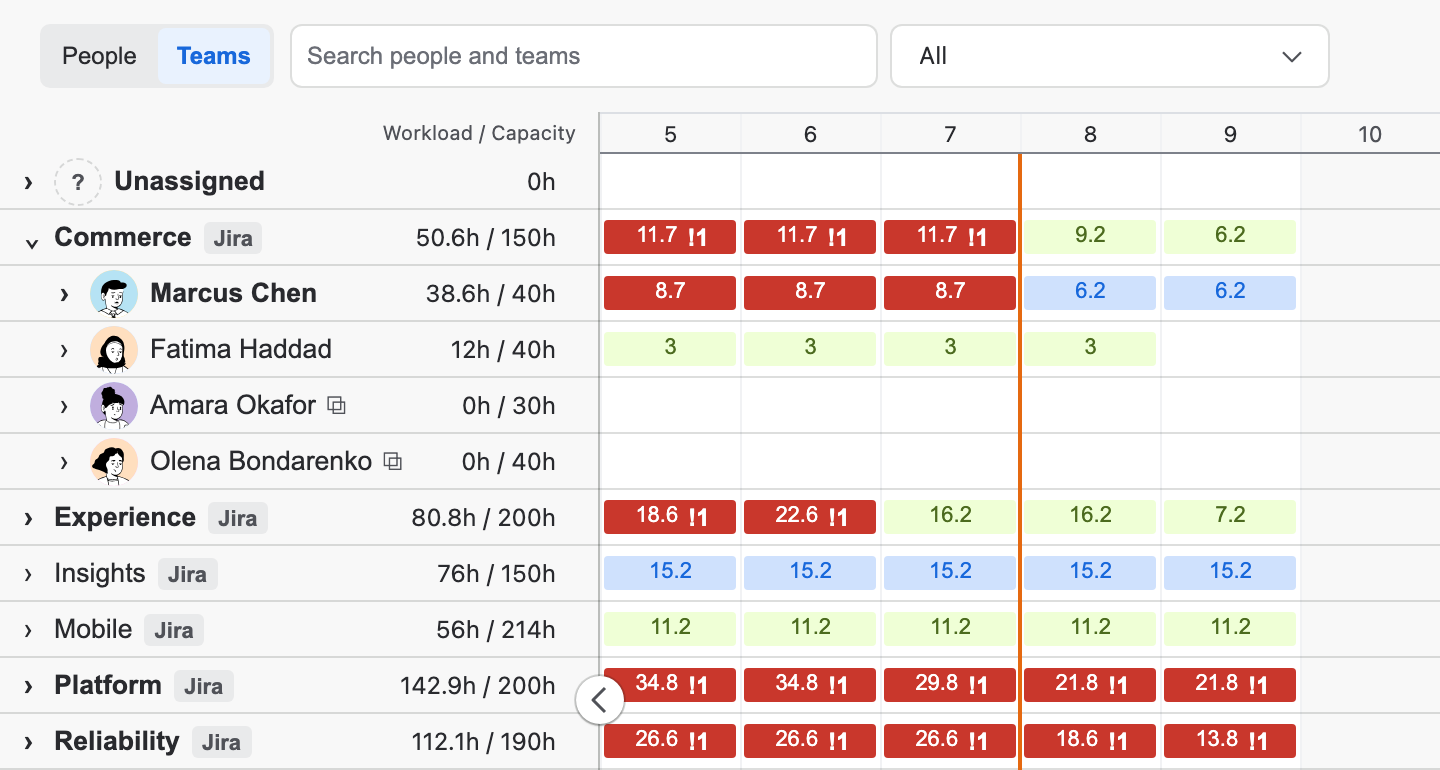
Workload
See who is overloaded, and balance the plan before it slips.
Workload sits under the Gantt and sets each person's and team's load against when they can actually work. Level resources proposes the moves and shows the result first. Nothing reaches Jira until you publish.
How it works →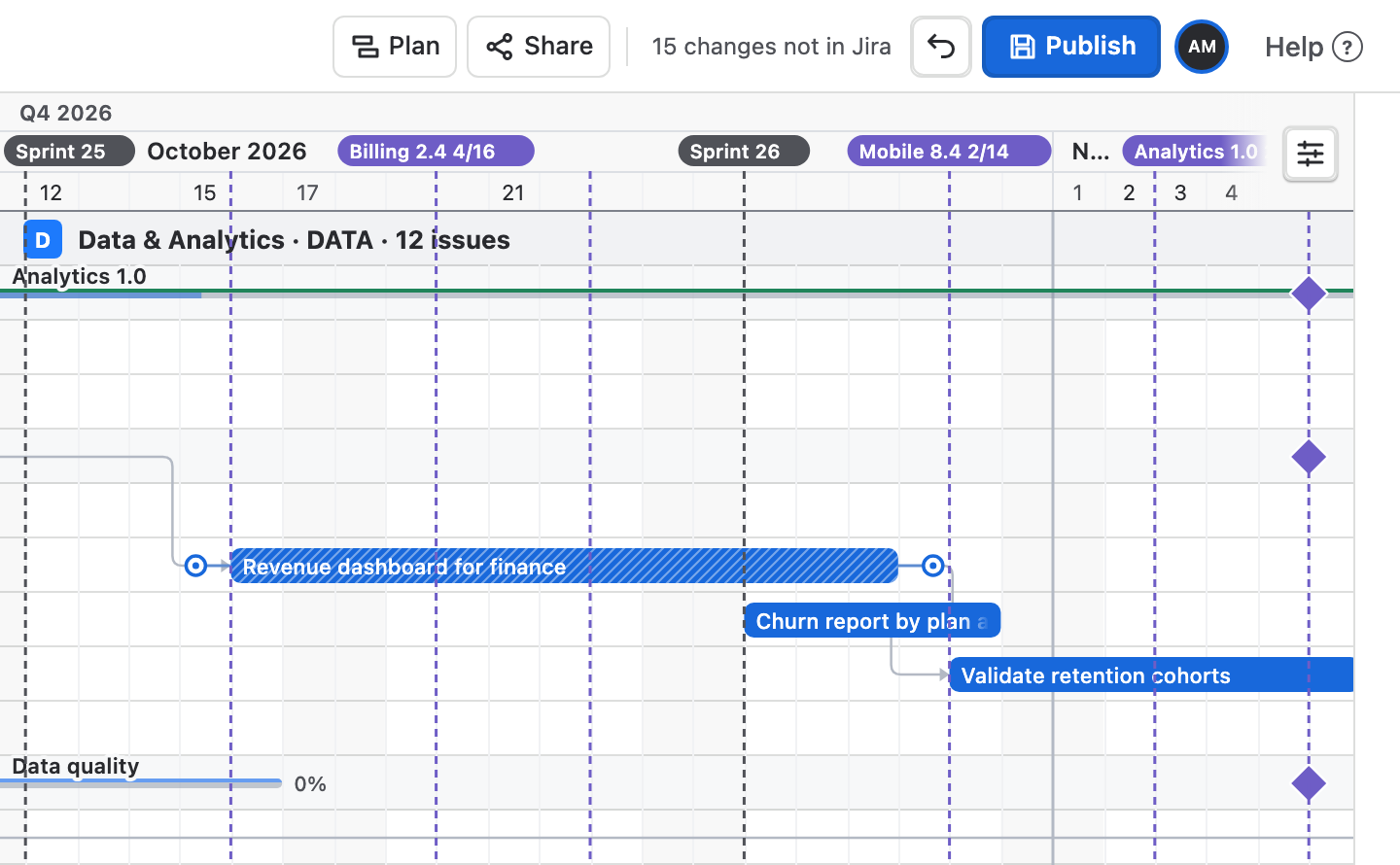
Publish to Jira
Plan freely, then send Jira only the dates you choose.
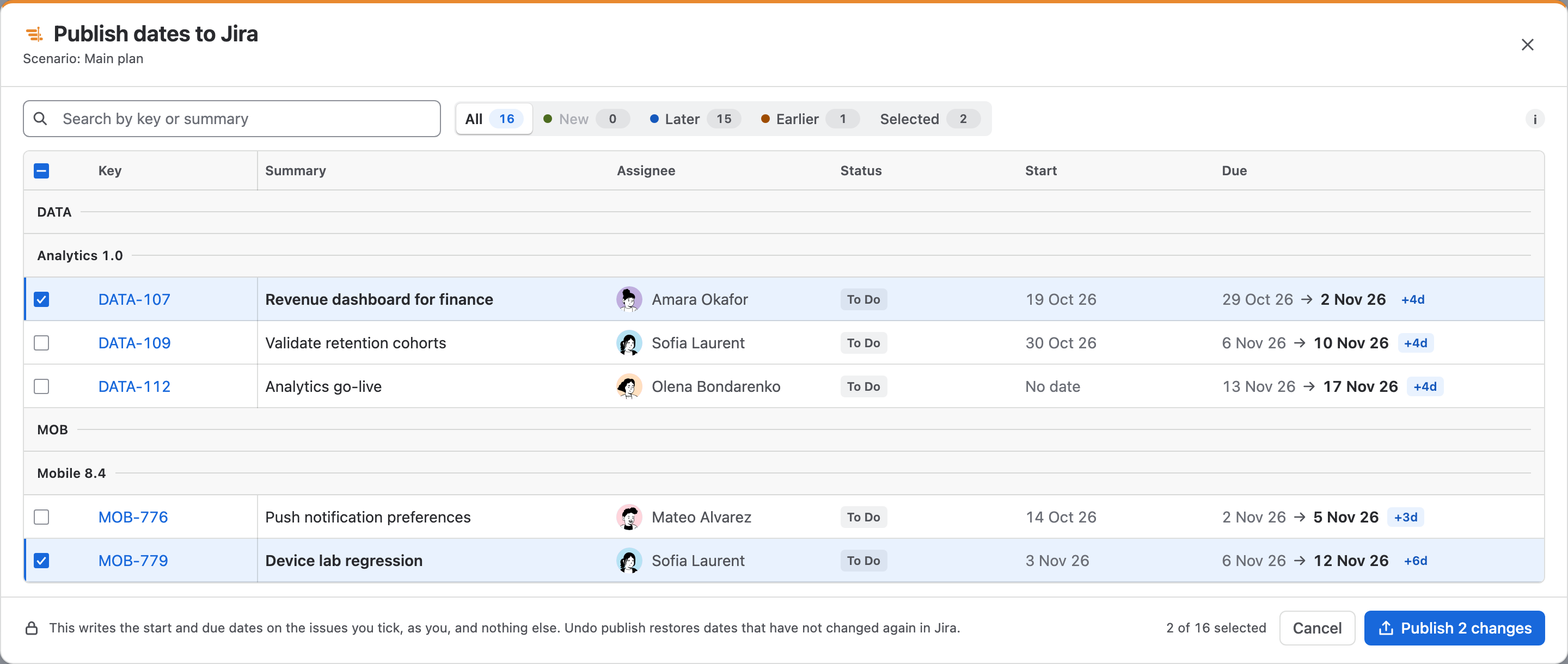
Moving bars changes Ganttry's plan, not Jira. When you are ready, Publish lists every issue whose dates differ from Jira, with the dates Jira has and the dates the plan gives it, and writes only the issues you tick, with your own Jira permissions.
How it works →Everything it does
One page for each feature, with the steps to use it.
Plan the work
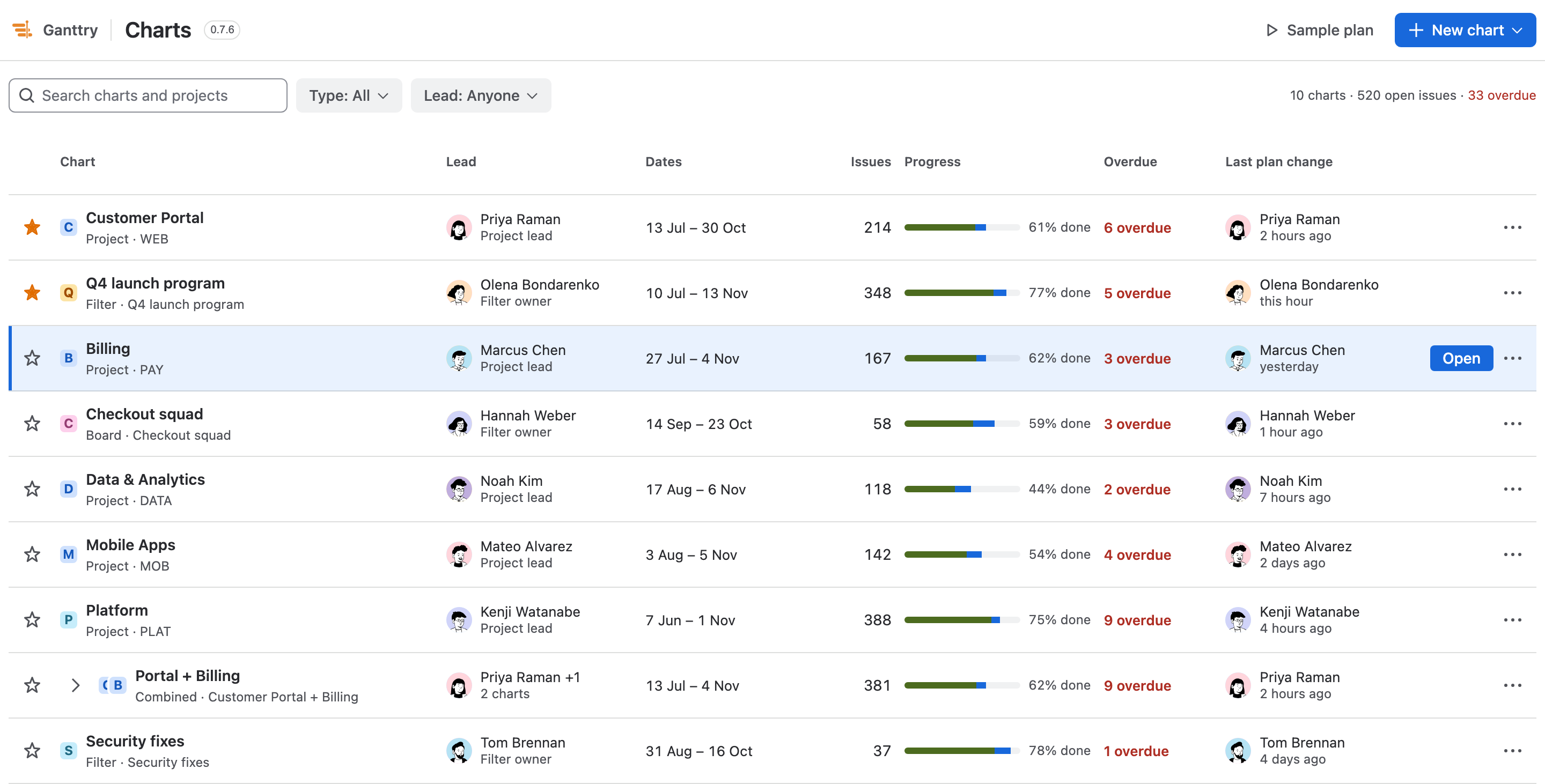 ChartsEvery chart on your site in one list, with its lead, dates, progress and overdue work.How it works →
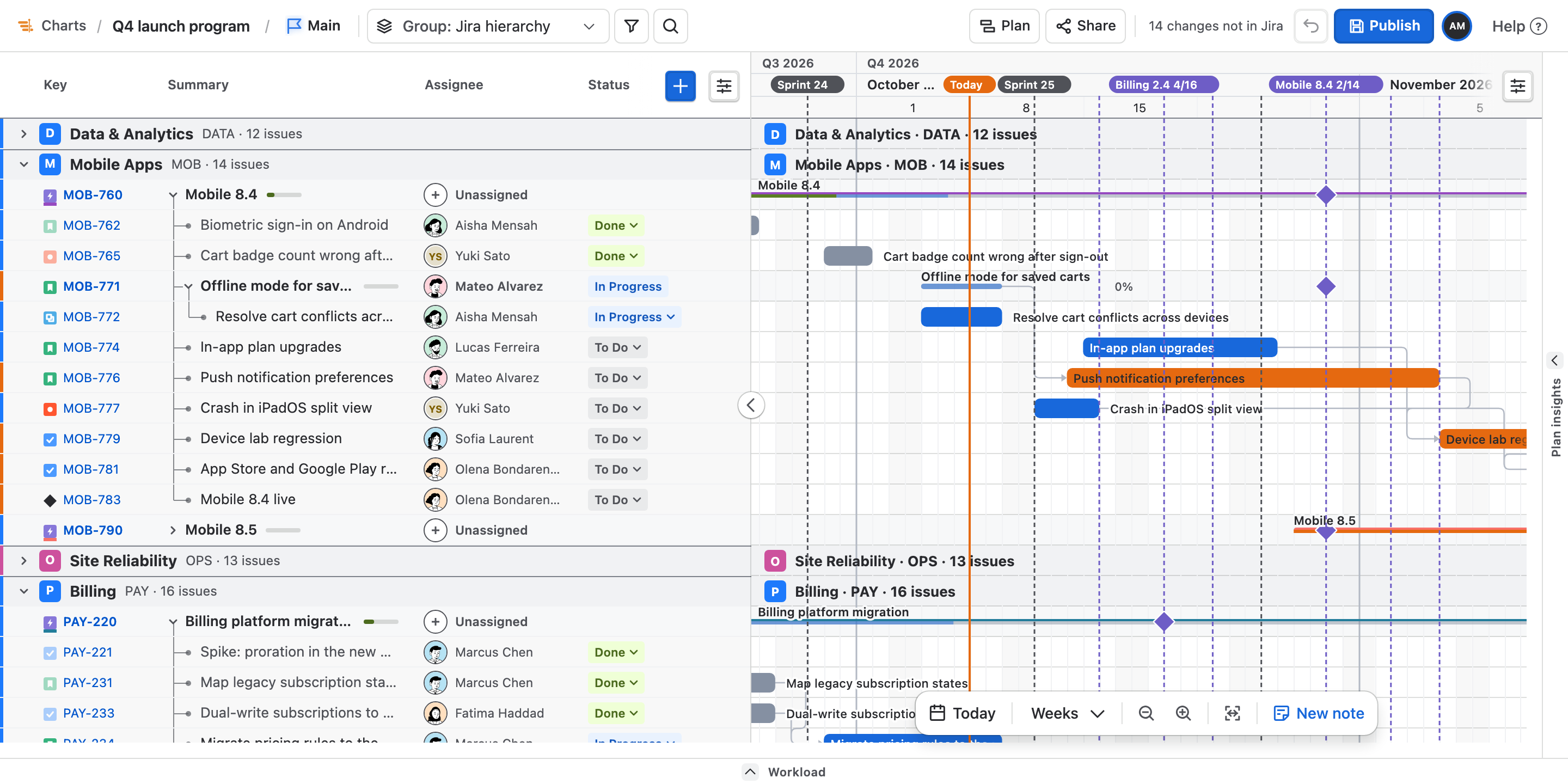 The Gantt chartEpics, stories and sub-tasks on one timeline, with sprints, releases and Today.How it works →
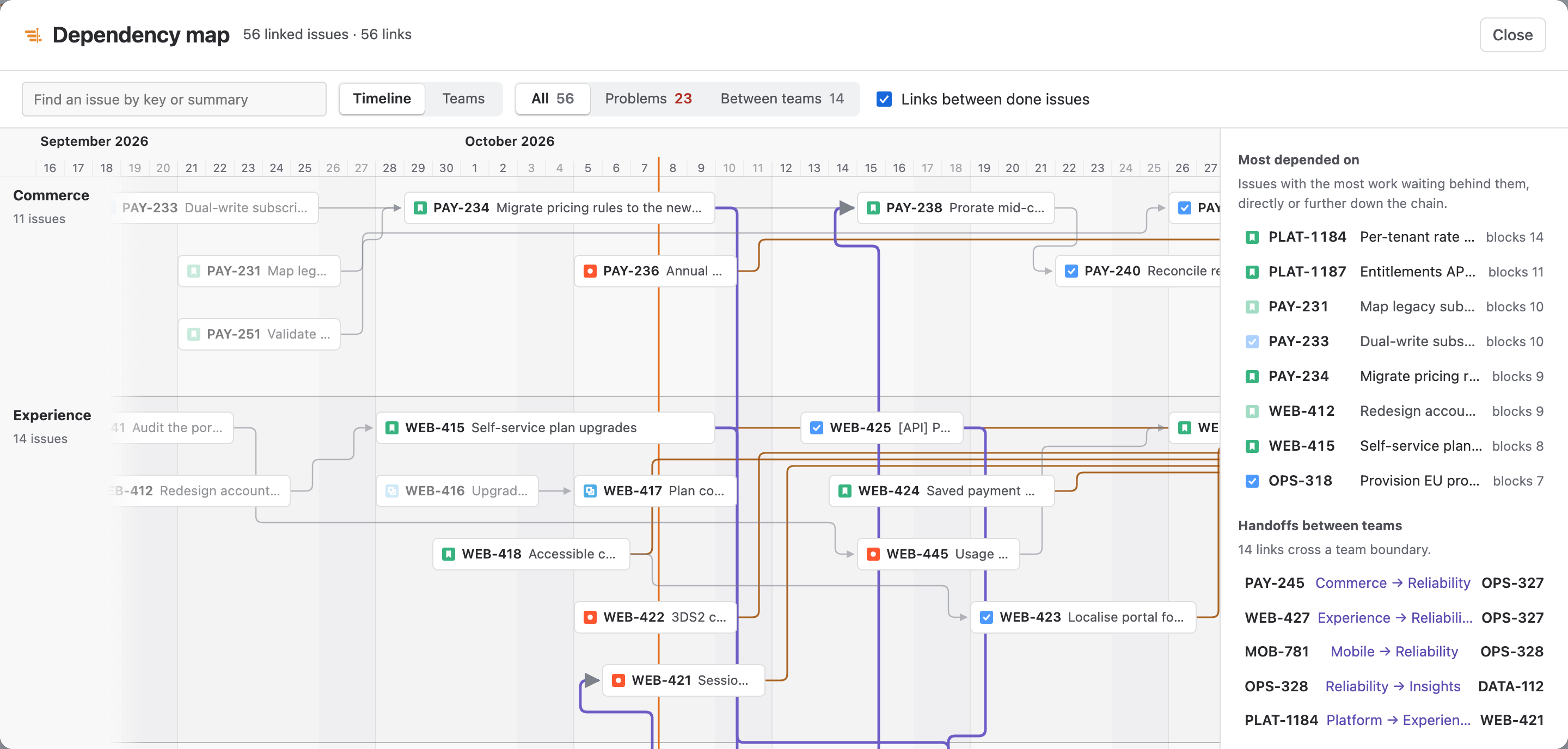 Dependencies & critical pathFour link types with lag, the chain that sets your finish date, and a map of it.How it works →
Balance and deliver
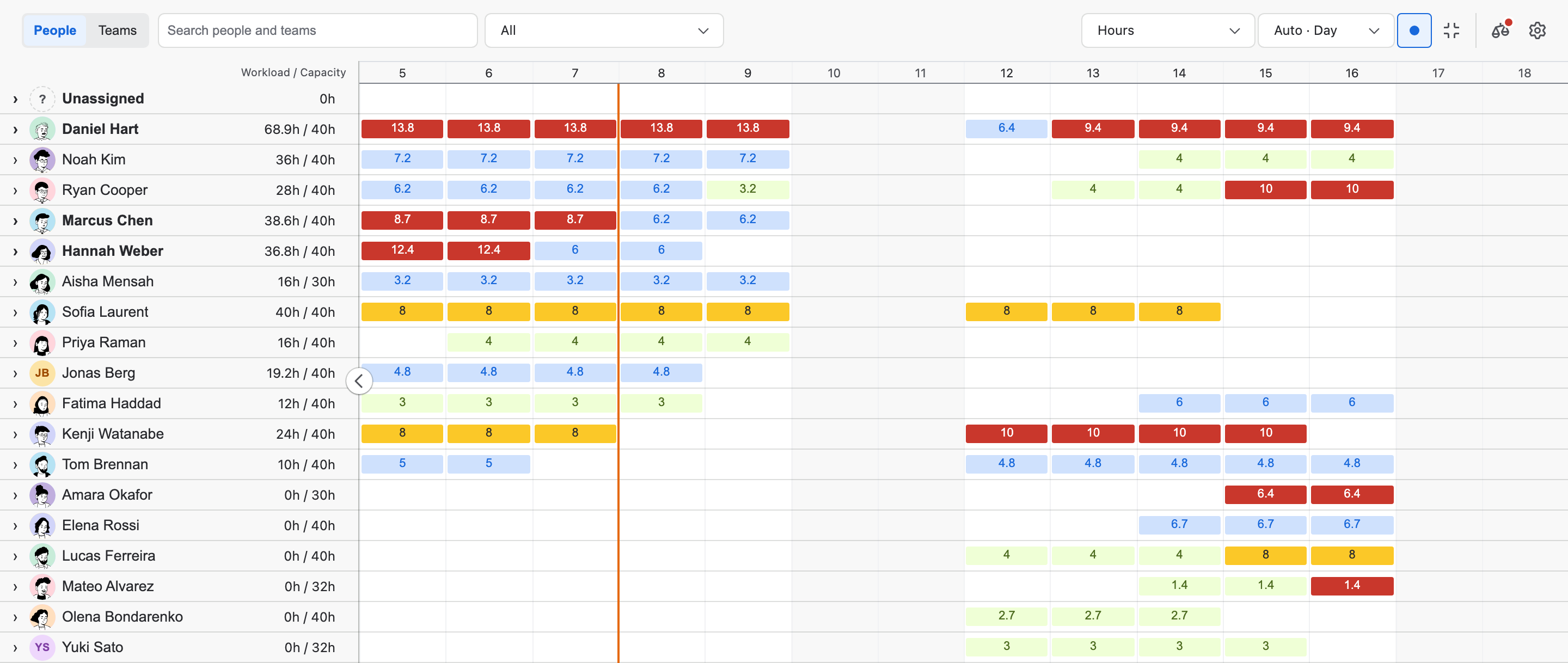 WorkloadLoad per person and team in story points, hours or percent, with overload in red and leveling that previews its moves.How it works →
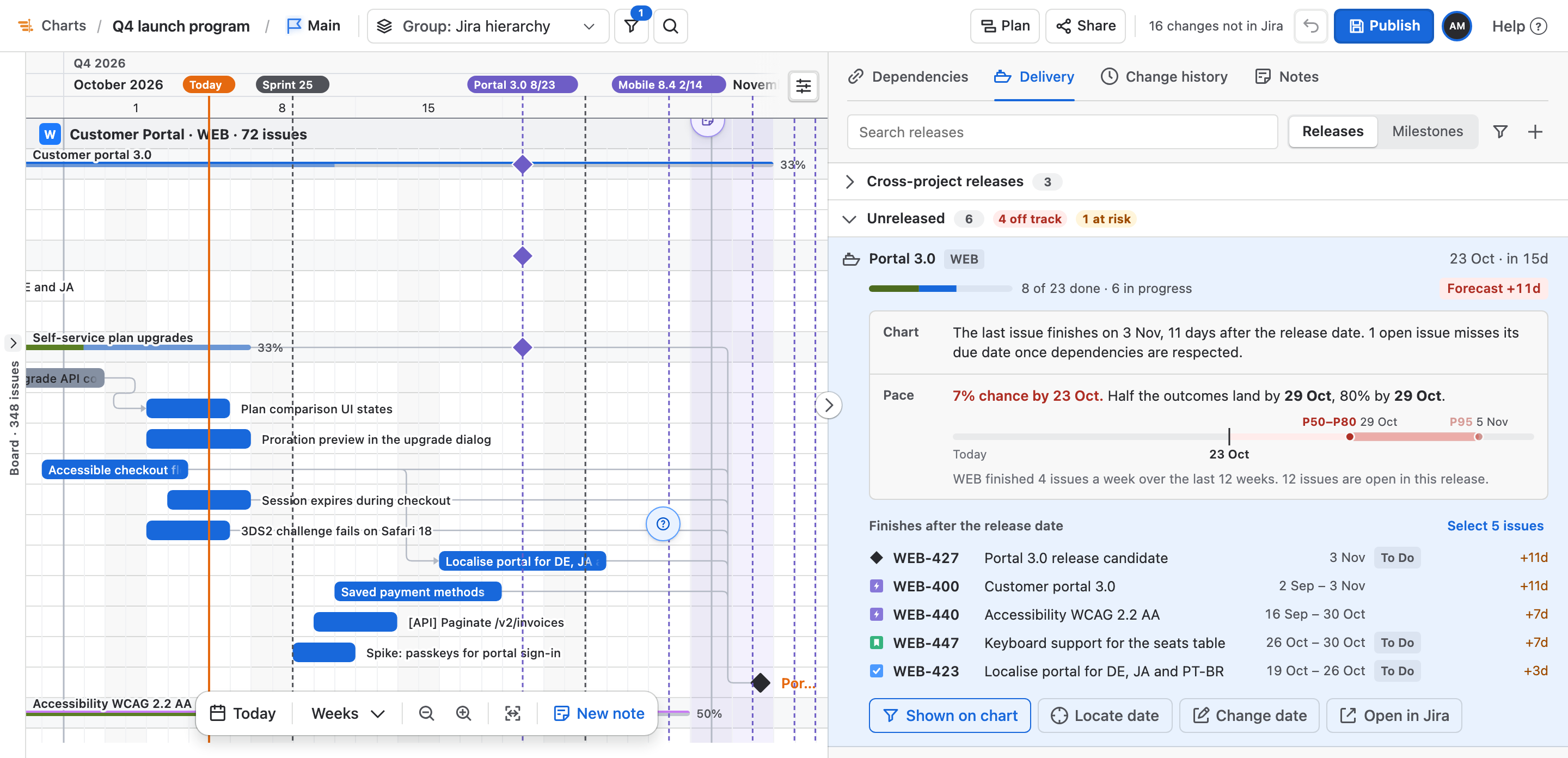 Releases & DeliveryEach release judged by the chart and by the team's real pace.How it works →
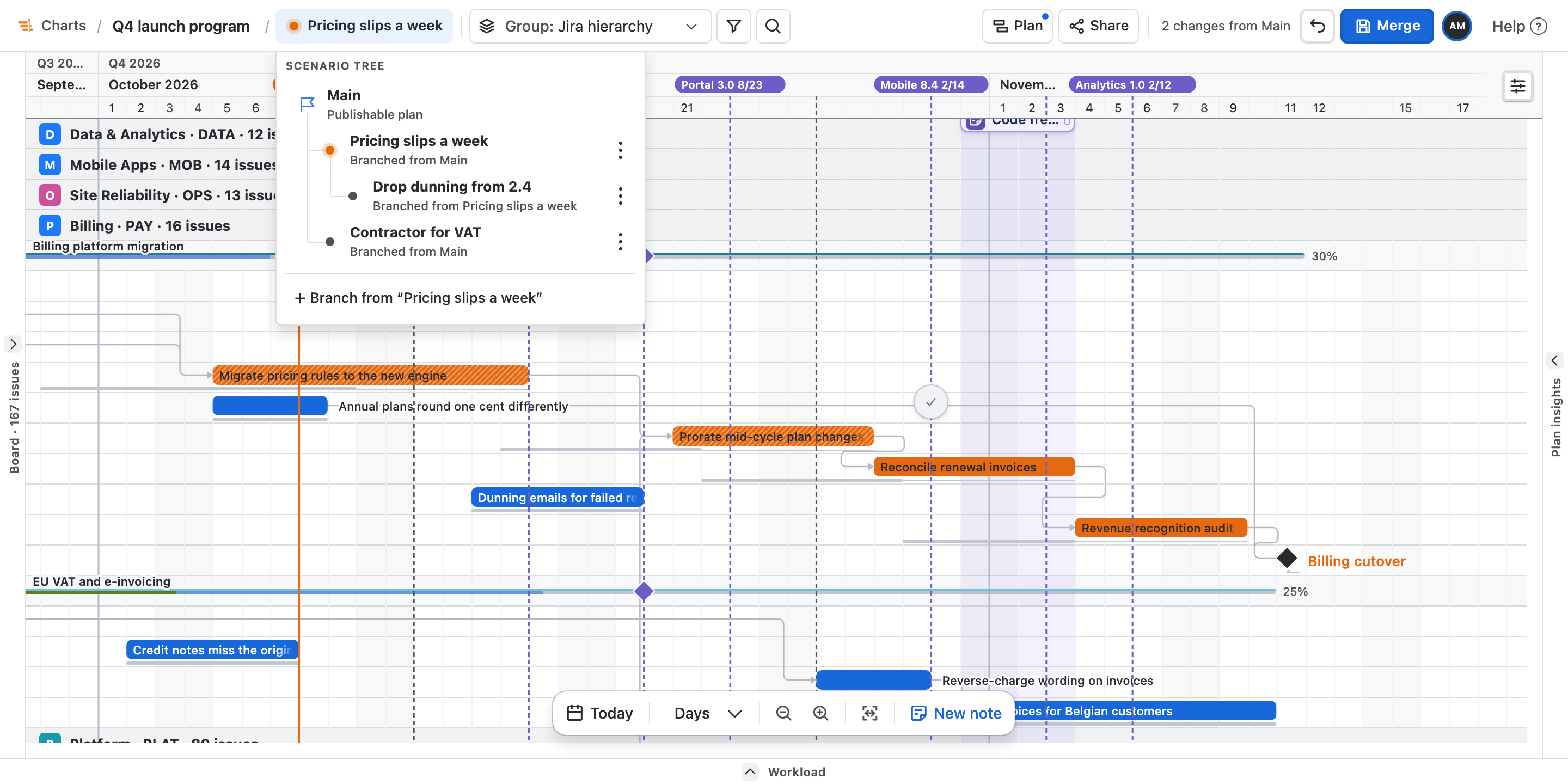 Scenarios & baselinesTry changes on a branch, merge the one you choose, and measure drift against named baselines.How it works →
Publish and share
What it may touch
Five scopes. Every Jira write named. No vendor servers.
Every number below was checked against the app's canonical inventory, and this site's build fails if its lists or public claims disagree. Last checked 7 September 2026.
5
Scopes
a sixth would need your admin
18
Read endpoints
three return definitions or permission answers
14
Write calls
over 13 endpoints
0
Requests leave Atlassian
and none is made as the app
Said out loud
Ganttry can delete an issue.
One key per request, after a dialog naming it, checked against the projects the chart is drawn from, and made as you — so your own Delete Issues permission is what decides. There is no bulk path anywhere in the resolver.
Creating and deleting an issue have no in-app undo. Both stay one at a time from a confirmation dialog. Reversibility of other changes depends on the operation and Jira's workflow and permissions; there is no blanket rollback promise.
Uninstalling
Take the plan with you.
Uninstalling makes the app's storage unreadable immediately, and a reinstall does not bring it back. So Ganttry ships back up and restore: the baseline, every dragged bar, the working calendar, who is away and when, the saved views, the chosen columns and what each arrow means — written to a file you keep.
Two things are left out on purpose. The stale project cache, and “what you saw last time” — restoring somebody else's is worse than telling them everything is new.
The whole list — every scope with the sentence that pays for it, all 18 reads and all 14 writes — is on the security page.
Documentation
Find the answer, or the button, in a few keystrokes.
- Your first chart
- Charts and combined charts
- Dependencies
- Publishing dates to Jira
- Sharing and exports
- FAQ and troubleshooting
Built and answered by the same people