Notes
Keep risks, decisions and questions on the plan.
Put a note on an issue or on a stretch of time. Give it a type, an owner and a due date, discuss it in replies and work through what is open in one queue. Notes live in Ganttry and never change Jira.
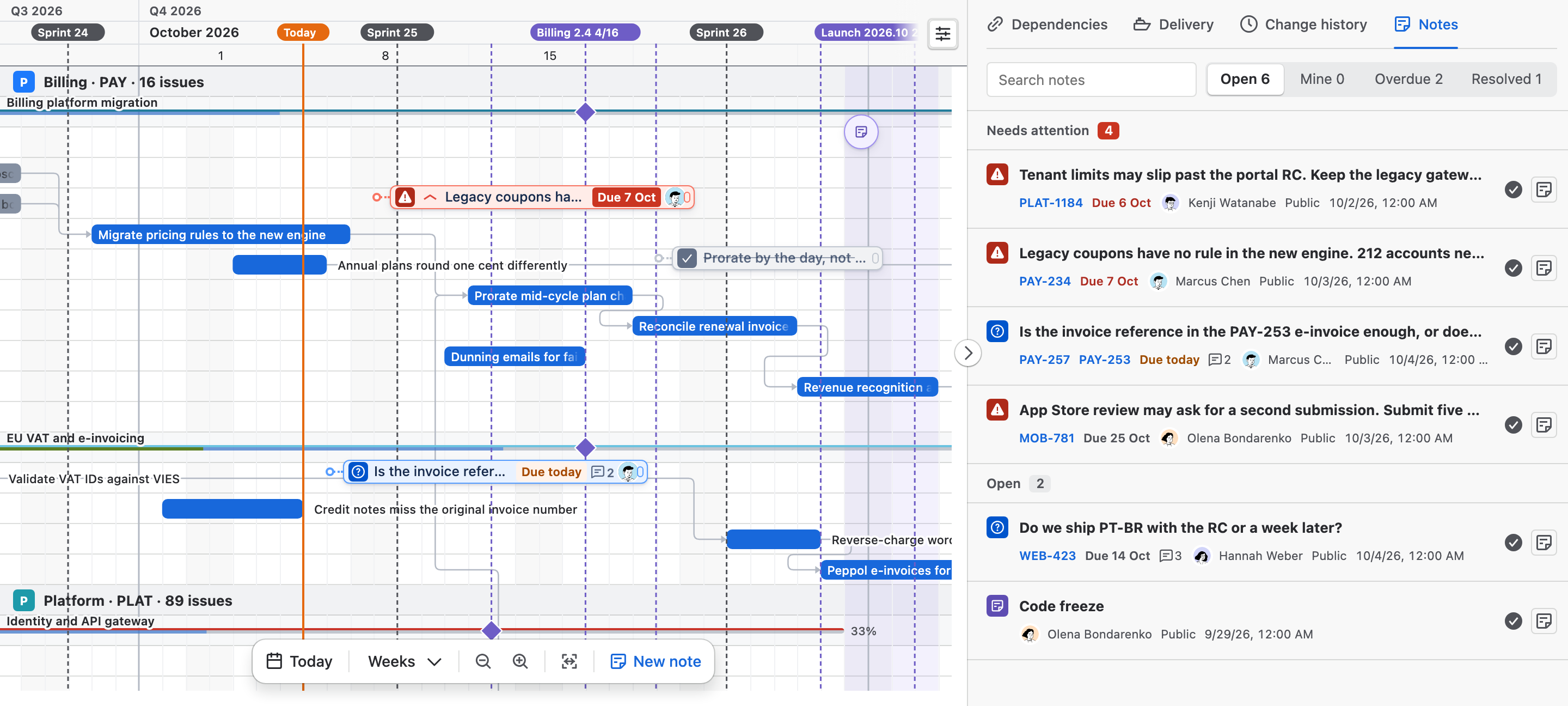
- Note, Risk, Decision, Question
- Owner and due date
- Replies
- Notes queue
What you get
Notes, part by part.
01
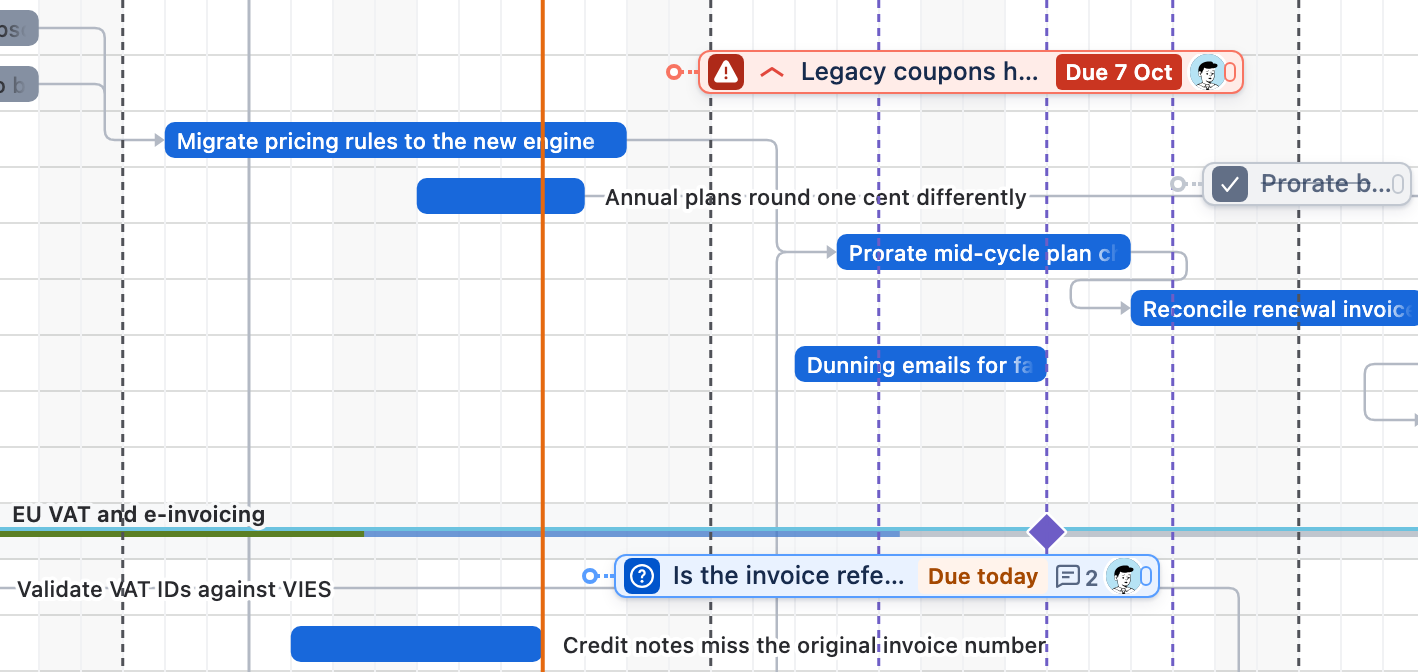
A type, an owner and a due date
Each note is a Note, Risk, Decision or Question, with its own badge and colour. Name an owner and a due date: the due chip turns amber on the day and red once it is late. A resolved note stays in grey.
02
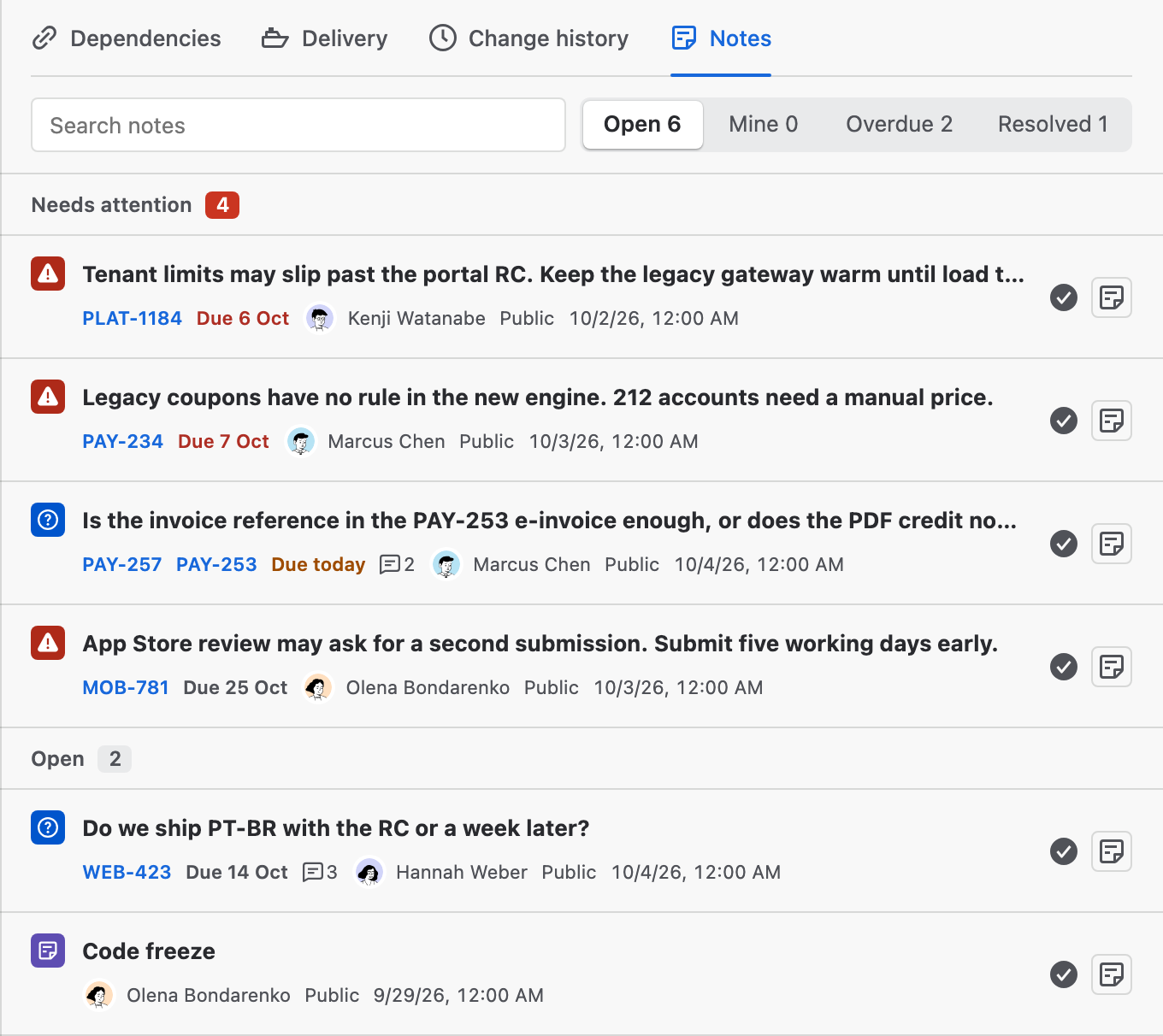
One queue for everything open
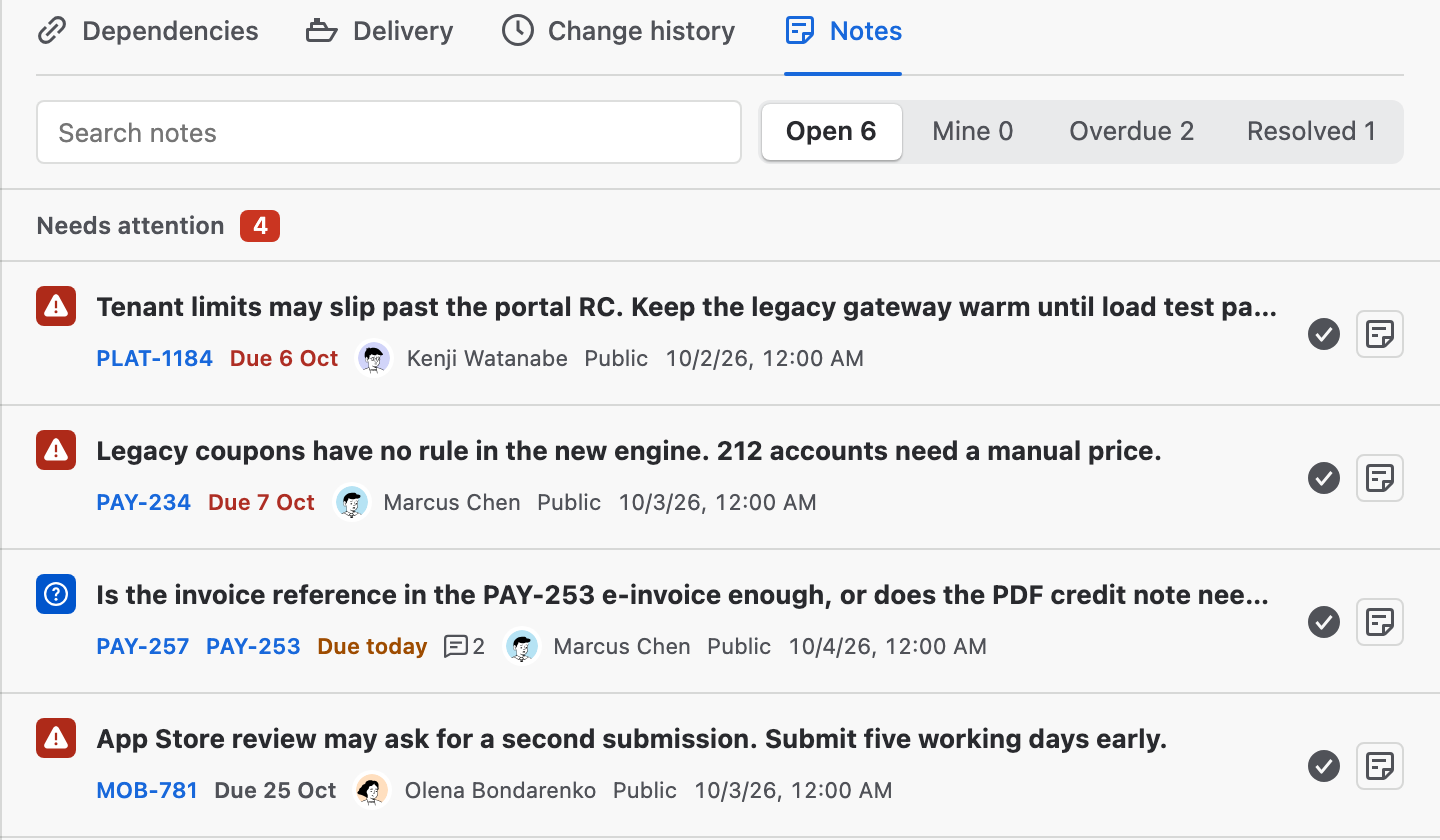
Plan insights → Notes lists the notes on the chart. Filter by Open, Mine, Overdue or Resolved. Late notes, notes due today and critical or high risks come first, under Needs attention.
03
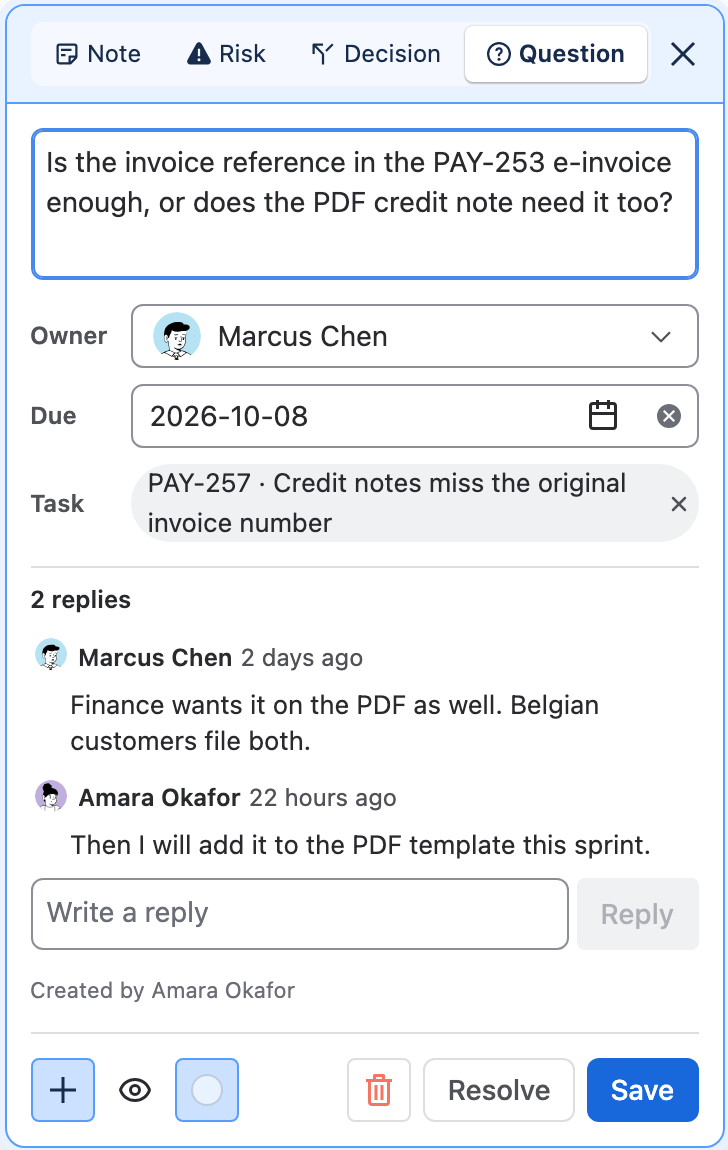
Talk it through on the note
A public note keeps a short thread of replies with each author and time, so the answer stays next to the question. An issue key in the text, such as PAY-253, links to that issue's bar.
04
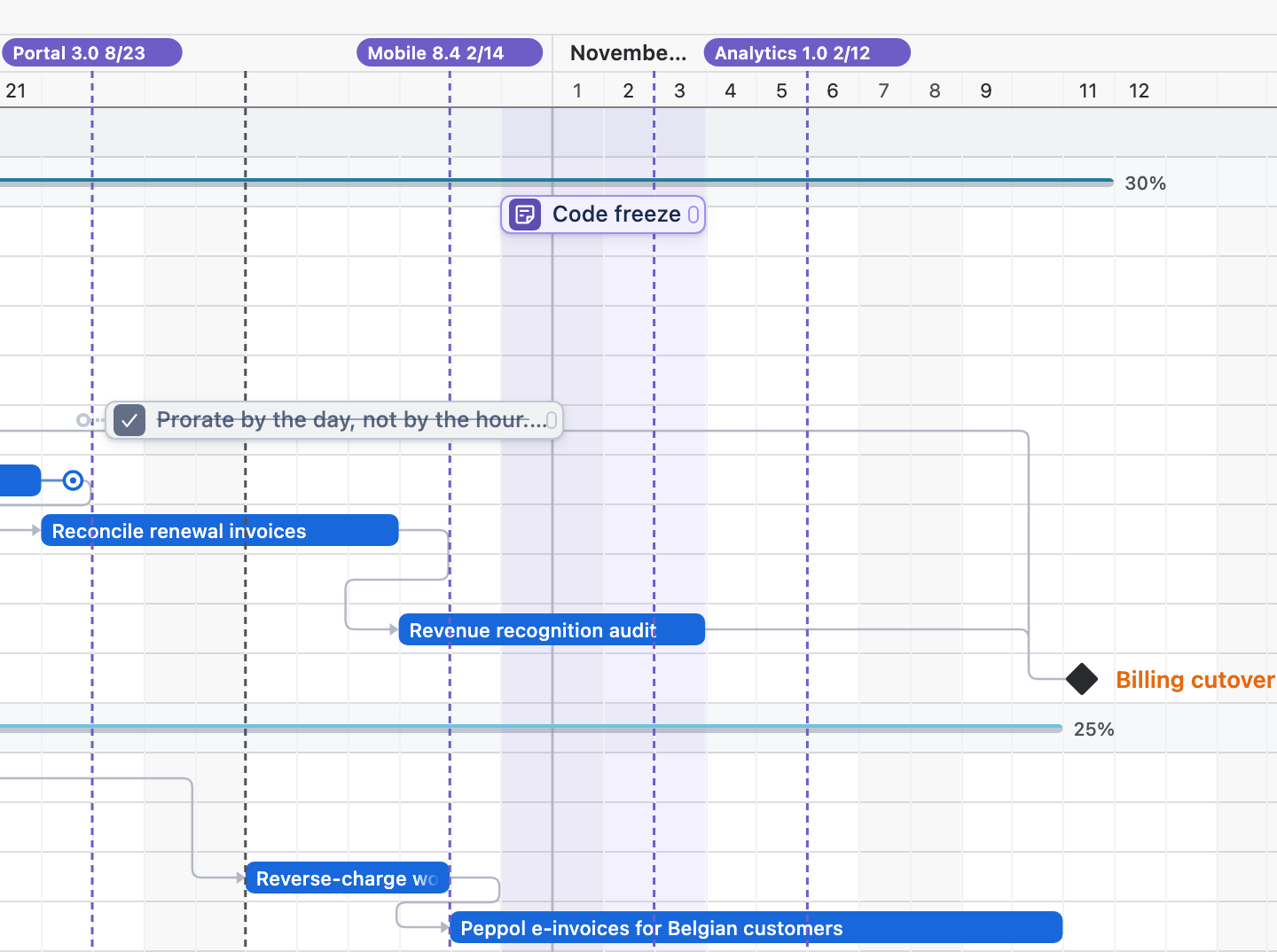
Mark a period across the chart
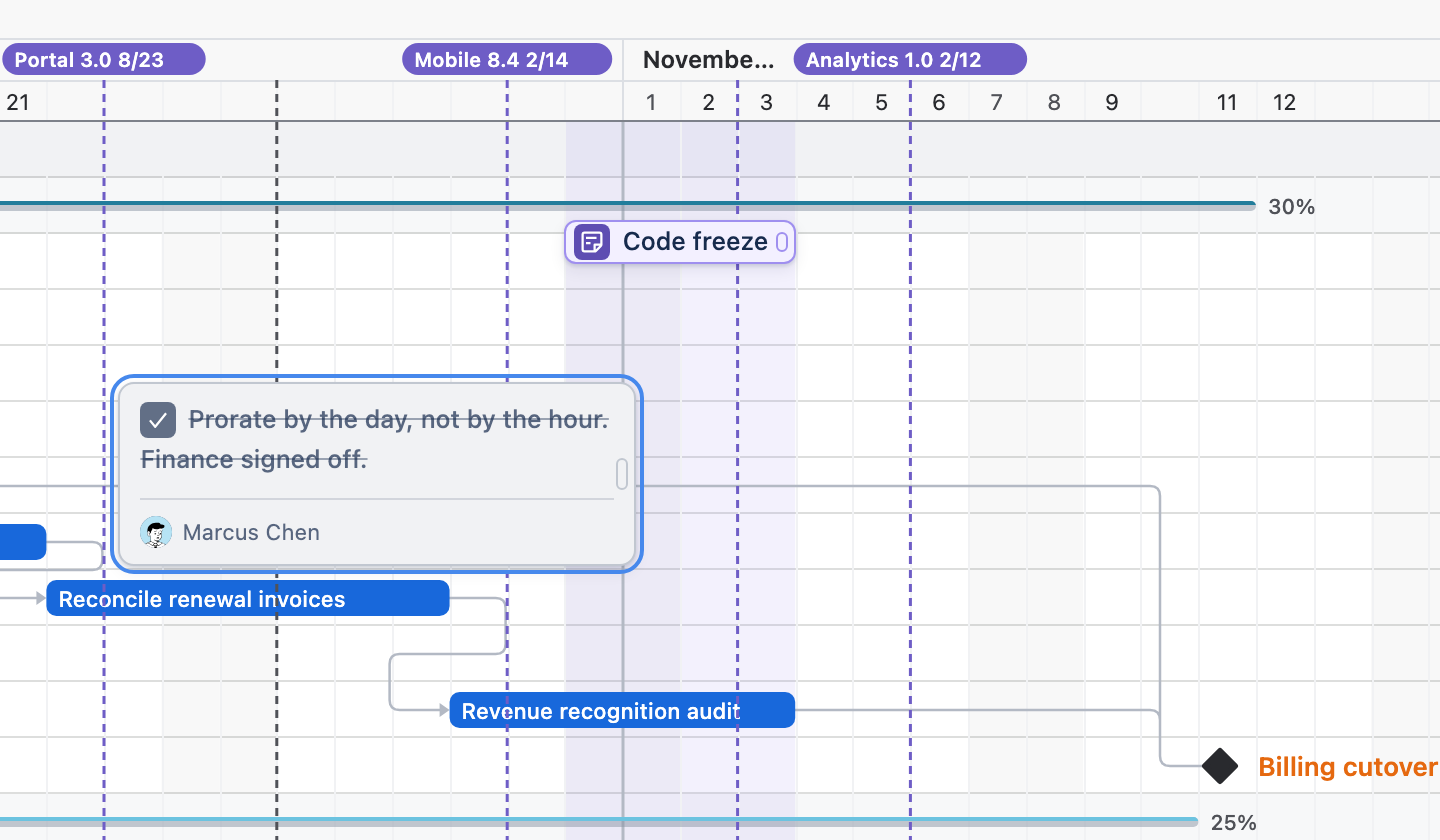
Turn on Show as a period across the chart for a note placed on the chart. Its dates are shaded behind every bar, so a code freeze or a holiday is in view on every row.
How to use it
From a first note to a resolved one.
Step 1
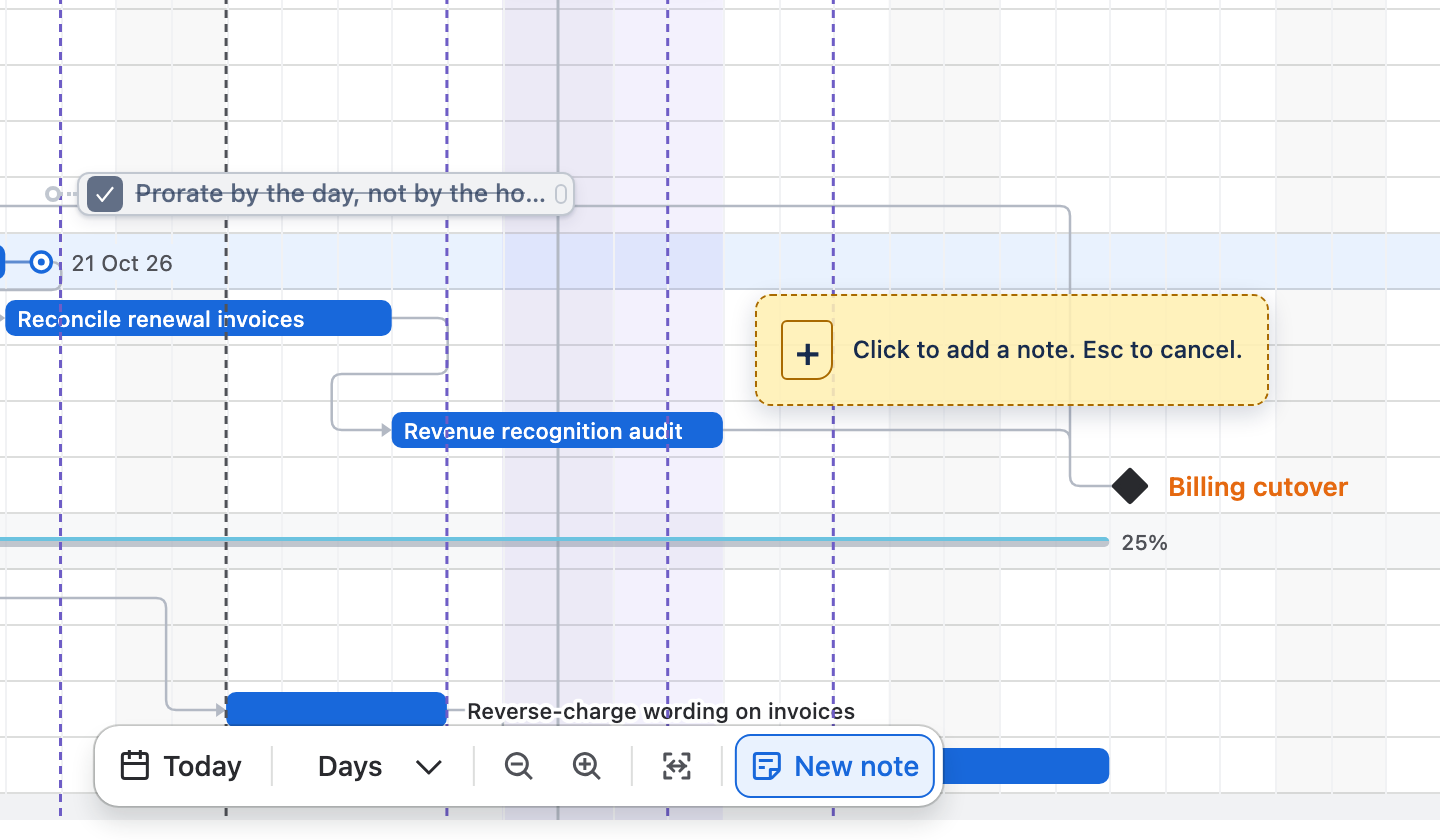
Place the note
Choose New note in the timeline dock, then click an empty spot on the chart. Escape cancels.
Step 2
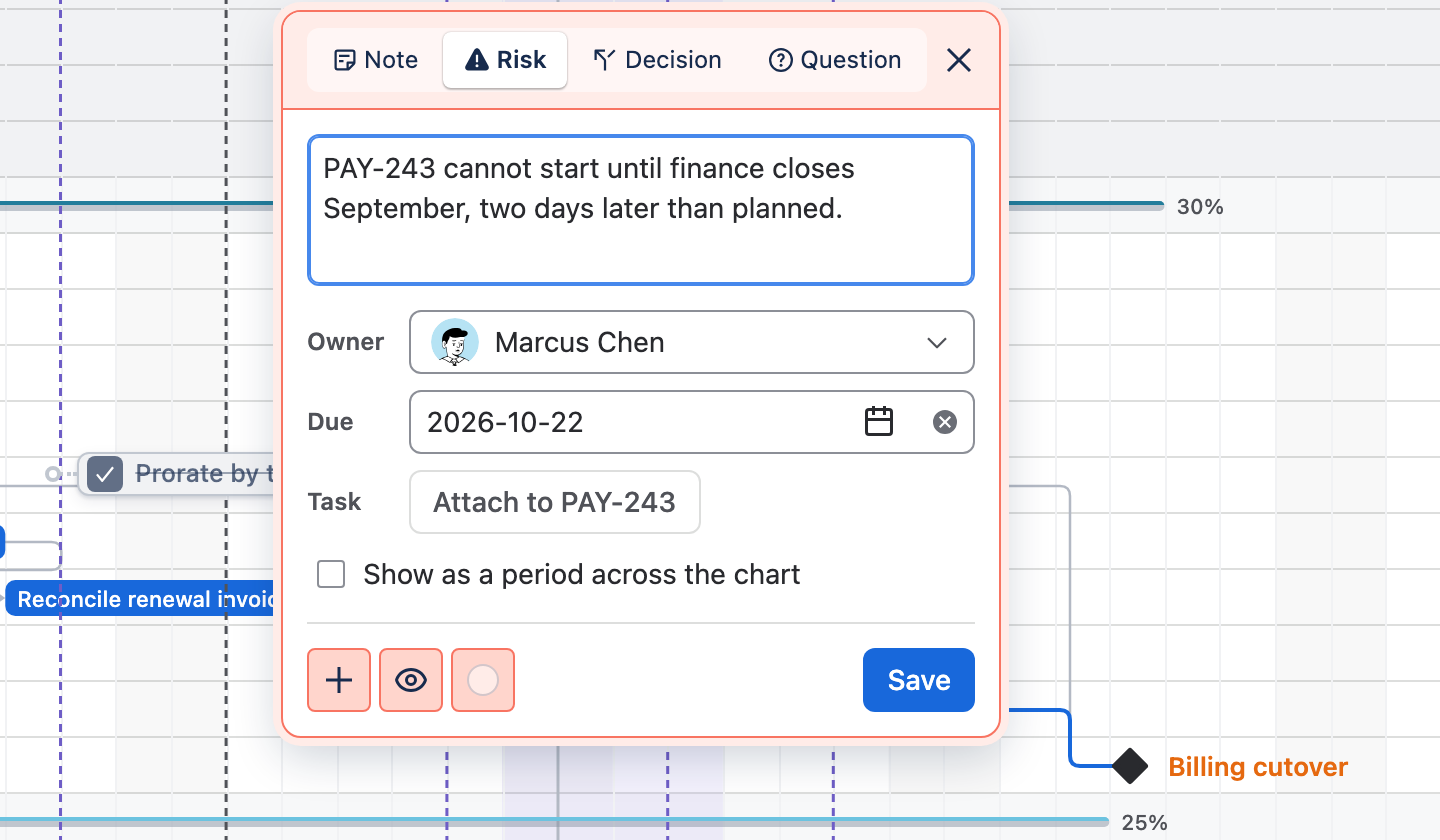
Write it and give it an owner
Pick Note, Risk, Decision or Question, write up to 250 characters and set the Owner and Due date. Select a bar to Attach to … its issue, then Save.
Step 3
Work the queue
Open Plan insights and choose Notes. Search, filter, resolve a note from its row, or use Show note on board to scroll the chart to it.
Step 4
Resolve it
Choose Resolve when the note is dealt with. It stays on the chart in grey with its text struck through, signed by whoever resolved it. Reopen makes it open again.
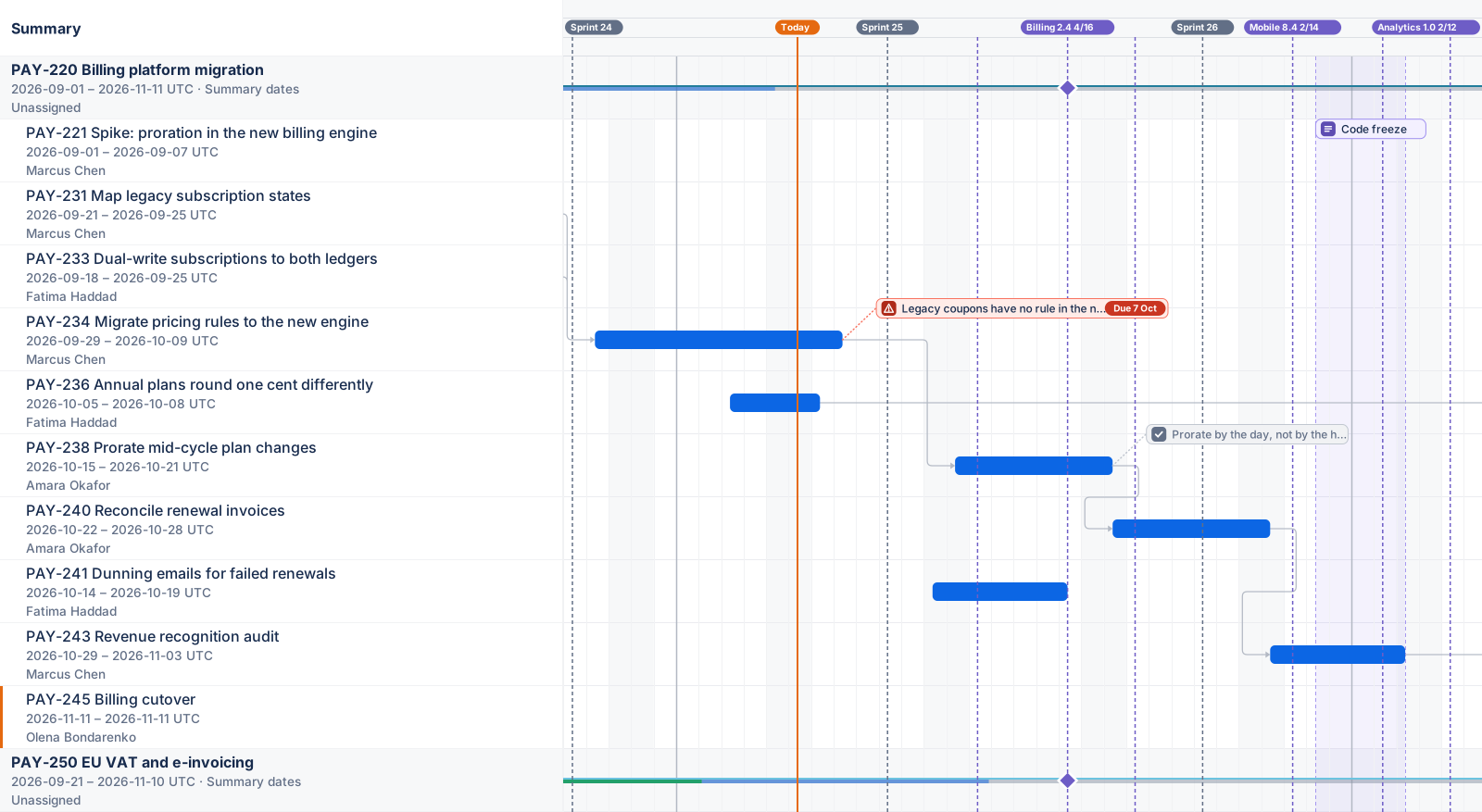
Drawn by Ganttry
Notes go out with the export.
This figure is the app's own export renderer, as a vector. With Show notes ticked, PNG and PDF exports draw the public notes and their period bands. Private notes are never exported.
Good to know
- Notes stay in Ganttry
- Notes and replies never write to Jira. Adding, editing and resolving a note changes only Ganttry's plan.
- Public or private
- A public note is visible to everyone who can open the chart. A private note is visible only to you, takes no replies and is never exported.
- Issue security applies
- A note attached to an issue, and its replies, are hidden from anyone who cannot see that issue in Jira.
- Everyone sees the same notes
- Avatars beside Publish show who has the chart open. A note you save reaches everyone on the same branch without a reload.
Read more in the docs
Ganttry for Jira Cloud